Guide · General
6 Best Inventory Management Software for Small Businesses
Compare the best inventory management software for small businesses by features, setup effort and starting prices, checked on vendor pages.
By the TopToolAdvisor research desk · Updated November 27, 2026 · 14 min read
That scene is still common across small operations. According to Meteor Space's inventory statistics roundup, 39% of small businesses in the United States tracked inventory manually or not at all in 2024. The best inventory management software for small businesses depends on the exact stock problem on the floor, not a single universal score. Sellers handling orders across channels fit Zoho Inventory. Field teams counting physical gear fit Sortly. Product businesses already keeping books in QuickBooks fit QuickBooks Online. Store owners selling in person and online need retail stock tools. Manufacturers running a production line need bill-of-materials control.
The TopToolAdvisor research desk evaluated these tools using documented features, published starting prices quoted from each vendor's pricing page with the date checked, and hard plan limits across users, monthly orders, and locations. No product on this list was hands-on tested.
Table of Contents
- 1. Zoho Inventory
- 2. Shopify
- 3. Sortly
- 4. QuickBooks Online
- 5. Lightspeed Retail
- 6. Katana
- 7. inFlow Inventory
- Starting price, free plan and best fit for each inventory tool
- Checking Plan Limits Before You Commit to Inventory Software
1. Zoho Inventory
Small sellers handling orders across more than one channel usually outgrow spreadsheets because of fulfillment mistakes, not catalog size. In inFlow Inventory's 2026 benchmark survey of 400 inventory and warehouse operators, respondents reported a median order-accuracy rate of 95% to 98%, while only about one in six reached 99% or higher. Zoho Inventory targets that exact gap by pairing stock control with sales orders, purchase orders, and shipping workflows at a low entry price.
The interface organizes items, sales orders, and shipments inside one workspace, as shown below.
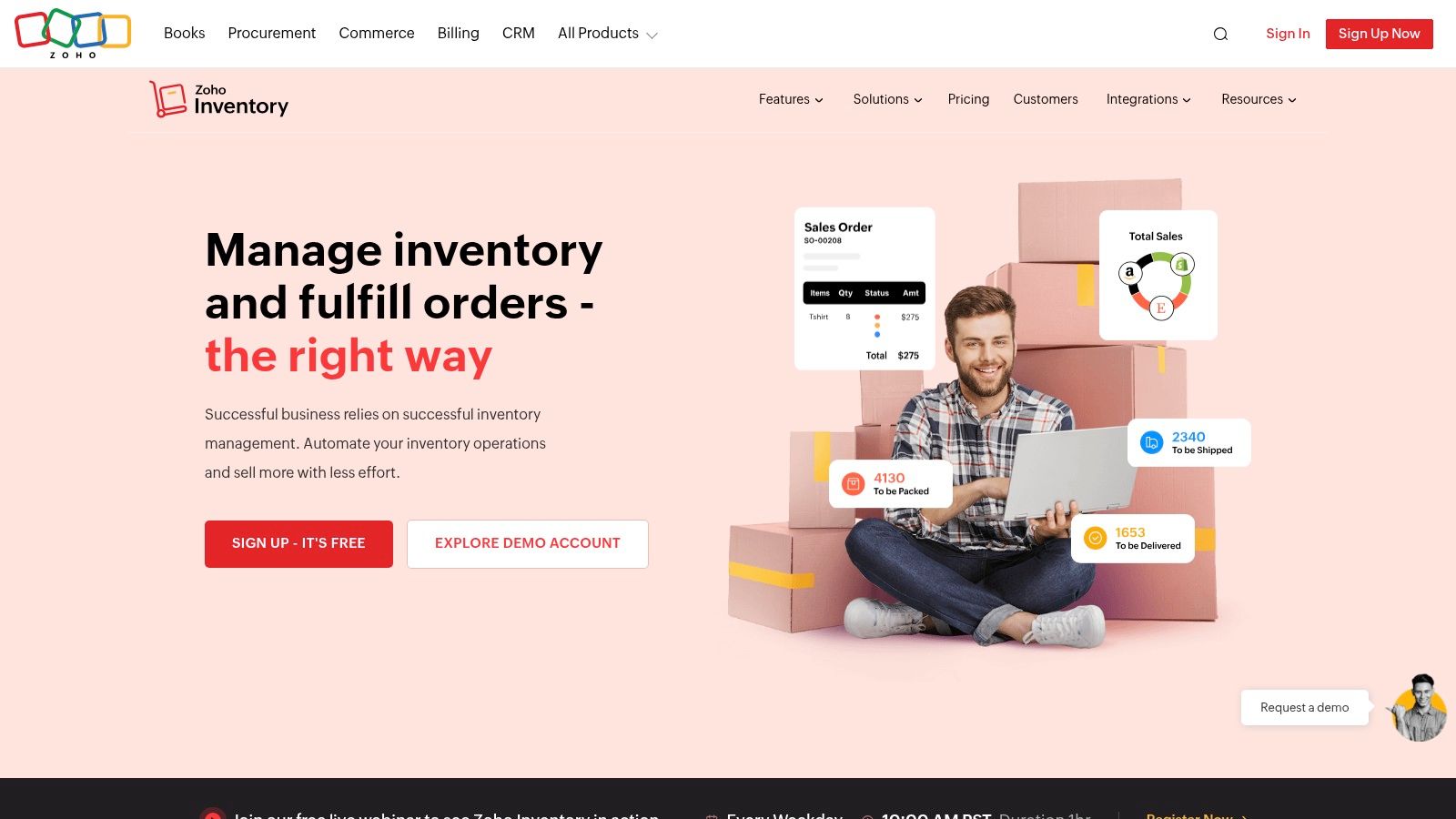
Its breadth at the lower tiers makes it practical for startups that need real order mechanics instead of a basic item list.
- Core Order and Stock Workflows: Tracks stock quantities, sales orders, purchase orders, and shipments across channels, with support for composite items, dropshipping, and backorders.
- Scaling Warehouse Controls: Paid tiers expand into multiple locations and bin tracking, while higher plans add barcode generation, serial and batch tracking, and structured stock counting.
- Ecosystem Connections: Connects natively with other Zoho applications and external sales channels, though businesses running outside the Zoho suite should verify how cleanly their accounting and ecommerce tools sync.
Where the Free Plan Stops Working
Published pricing and clear tier caps make Zoho Inventory easier to budget than quote-only platforms, and paid features include a 14-day trial. Based on Zoho's pricing page checked in October 2026 and reported by SupplyAutomate, the free plan is capped at 50 orders per month, one user, and one location.
That ceiling arrives fast once a shop gains steady traction or opens a second storage space. Moving to the Standard plan costs $29 per organization per month billed annually (checked October 2026) and lifts capacity to 500 orders, three users, and two locations. Buyers should map monthly order volume and staff headcount against each tier before migrating, because exceeding order or user caps forces an upgrade even before advanced barcode or batch tools are needed.
2. Shopify
A shop already selling online often wants stock to update when a customer buys at a market stall, in the back room, or through the storefront. Shopify suits that situation because inventory sits inside the store and retail workflow, so listings, orders, and counts stay connected.
Here is how Shopify presents its storefront and retail commerce workspace.

Connected platforms have become a major driver of software spending. A market assessment from Research and Markets projected the small-business inventory-management-software segment to reach approximately USD 3.04 billion in 2026, fueled by cloud access and tighter integrations across ecommerce, point of sale, and shipping.
Inside Shopify, merchants can track and adjust stock across locations, manage incoming inventory, issue purchase orders, record stock transfers, bulk-edit quantities, and scan barcodes in supported workflows. That makes it a practical fit for sellers whose main stock problem is selling the same products across online and in-person channels. It is less useful when the main problem is counting tools in job boxes, linking stock to bookkeeping in depth, or running a production line.
Platform Lock-In and Add-On Costs
Shopify works best for sellers already running on Shopify or ready to move their store there. There isn't a permanent free inventory plan, and multiple paid plan levels govern store features while transaction and payment processing fees may apply on top of the subscription.
Inventory inside an ecommerce platform removes sync headaches between web and register sales, but it also ties stock rules to one sales ecosystem.
Physical retailers that need advanced register and store-level inventory capabilities face an extra recurring line item. Shopify lists POS Pro as a paid per-location add-on. Buyers should check the current base subscription and POS Pro rate on Shopify's pricing page before budgeting.
The free plan's usefulness is limited by that structure. It helps a merchant get a store and stock records started, then stops being enough once in-person checkout and store-level controls become part of daily operations. Businesses that need demand forecasting, multi-step warehouse picking, or manufacturing controls will still need third-party apps or a dedicated inventory platform.
3. Sortly
Contractors, medical clinics, event teams, and field crews rarely need multichannel order syncing. They need to know which tools, supplies, or parts sit on a shelf or inside a job box, and they need a count they can trust. According to inFlow Inventory's 2026 state of inventory management report, 49.5% of surveyed operators identify inventory accuracy as their top improvement area, 44.8% name inaccurate data as a major challenge, and 44% experience a stockout at least once a month.
Sortly attacks that accuracy problem by making item tracking visual and mobile-first, so staff log stock movements instead of skipping them. Items live in folders with product photos rather than dense accounting tables, which suits crews counting physical goods in the field.
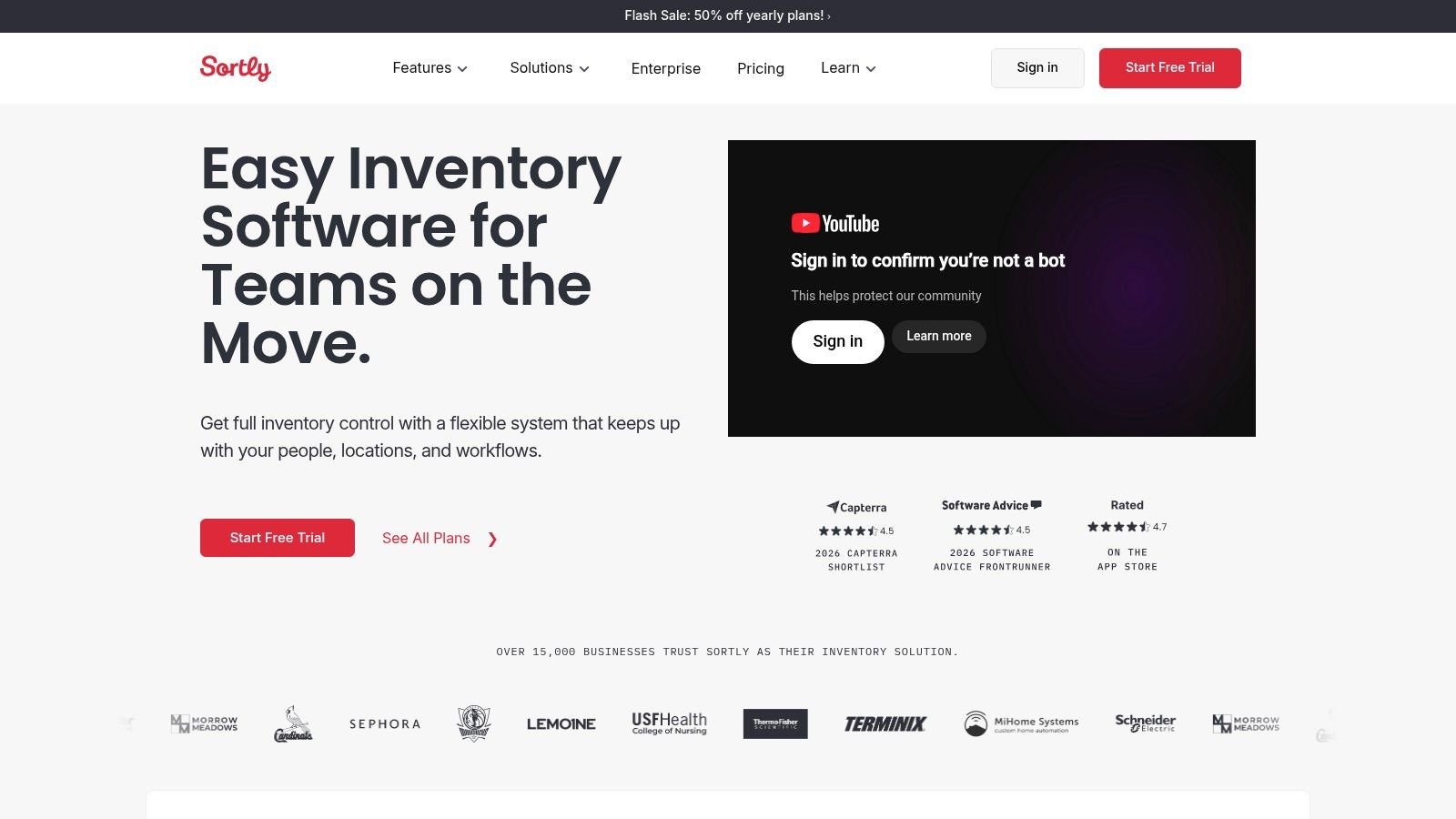
Its strength is fast identification and low-friction physical counts:
- Visual Organization: Group supplies, materials, and equipment into folders with photos and custom fields so field technicians don't confuse look-alike parts.
- Mobile Labels and Scanning: Generate and scan QR codes and barcode labels from mobile devices during quick shelf checks or check-outs.
- Spreadsheet Imports and Job Tracking: Import existing item lists from spreadsheets and tie stock directly to jobs, projects, and work orders.
- Higher-Tier Controls: Upper plans add purchase orders, role permissions, and a QuickBooks Online integration.
Free Tier Caps and Upgrade Triggers
Sortly offers a free plan alongside paid tiers. The free tier works for a small catalog counted by one person, and it becomes limiting as the item list grows or more team members need their own logins. Businesses comparing no-cost options before picking a tier can consult the best free inventory management software shortlist.
Two upgrade triggers matter most. Teams that need purchase orders must move to a higher-tier plan, since Sortly reserves that feature for its upper subscriptions. And businesses that outgrow simple counting face a harder ceiling: Sortly isn't built for deep multichannel order processing, demand forecasting, or production scheduling, so a seller managing stock across several sales channels will outgrow it faster than a crew tracking job-site materials.
4. QuickBooks Online
A small distributor sells finished goods to local shops, then reconciles inventory valuation with an accountant every month. A separate stock app can create duplicate entry and mismatched costs. QuickBooks Online suits businesses already keeping their books there because stock tracking sits beside financial records.
Inventory valuation gaps matter across product businesses. Retail inventories move over time, as shown by the U.S. Census Bureau's 2023 retail inventory data. Retail inventory shrink from theft, damage and counting errors is costly for product sellers, which is why catching valuation gaps early matters. Keeping stock quantities, product costs and vendor bills in one ledger helps smaller firms spot problems before tax season.
Accounting Strengths and Warehouse Gaps
QuickBooks Online has no free inventory plan, and inventory tracking is not included on every tier. Buyers should check plan availability before assuming stock tools come standard.
- Tier Eligibility: Inventory tracking is listed on the Plus and Advanced plans, with Advanced adding more users and broader workflow capabilities.
- Built-In Cost and Purchasing Tools: Supported plans track stock quantities, display product costs and inventory reports, generate purchase orders, manage vendors and trigger low-stock alerts.
- Pricing Caution: Promotional introductory pricing can differ from the ongoing renewal rate, so check standard monthly prices on Intuit's pricing page.
- Integration Extensions: App connections can bridge ecommerce storefronts and specialized inventory tools when built-in tracking reaches its limit.
Bookkeeping boundary: QuickBooks Online keeps stock value aligned with profit-and-loss statements, but it is not a warehouse management system.
Operations that require lot tracking, bin locations, multi-step assembly or high-volume fulfillment will outgrow built-in accounting tools. Those teams need an add-on or a dedicated system. Owners comparing how bookkeeping fits with CRM, payroll and operations tools can review software to manage a small business to keep the stack lean.
5. Lightspeed Retail
Physical retail stores face a distinct inventory headache: hundreds of product variants across sizes, colors, and seasons, paired with walk-in returns and multi-store transfers. Modern retail stock control grew out of barcode-driven checkout, starting with the first retail scan of a UPC-marked product in June 1974 at a Marsh supermarket in Troy, Ohio, as documented in Extensiv's history of warehouse inventory management systems. Lightspeed Retail carries that workflow forward by combining point of sale, supplier purchasing, and multi-location stock control in one platform.
The retail interface brings product variants, register operations, and store stock counts together in one console.
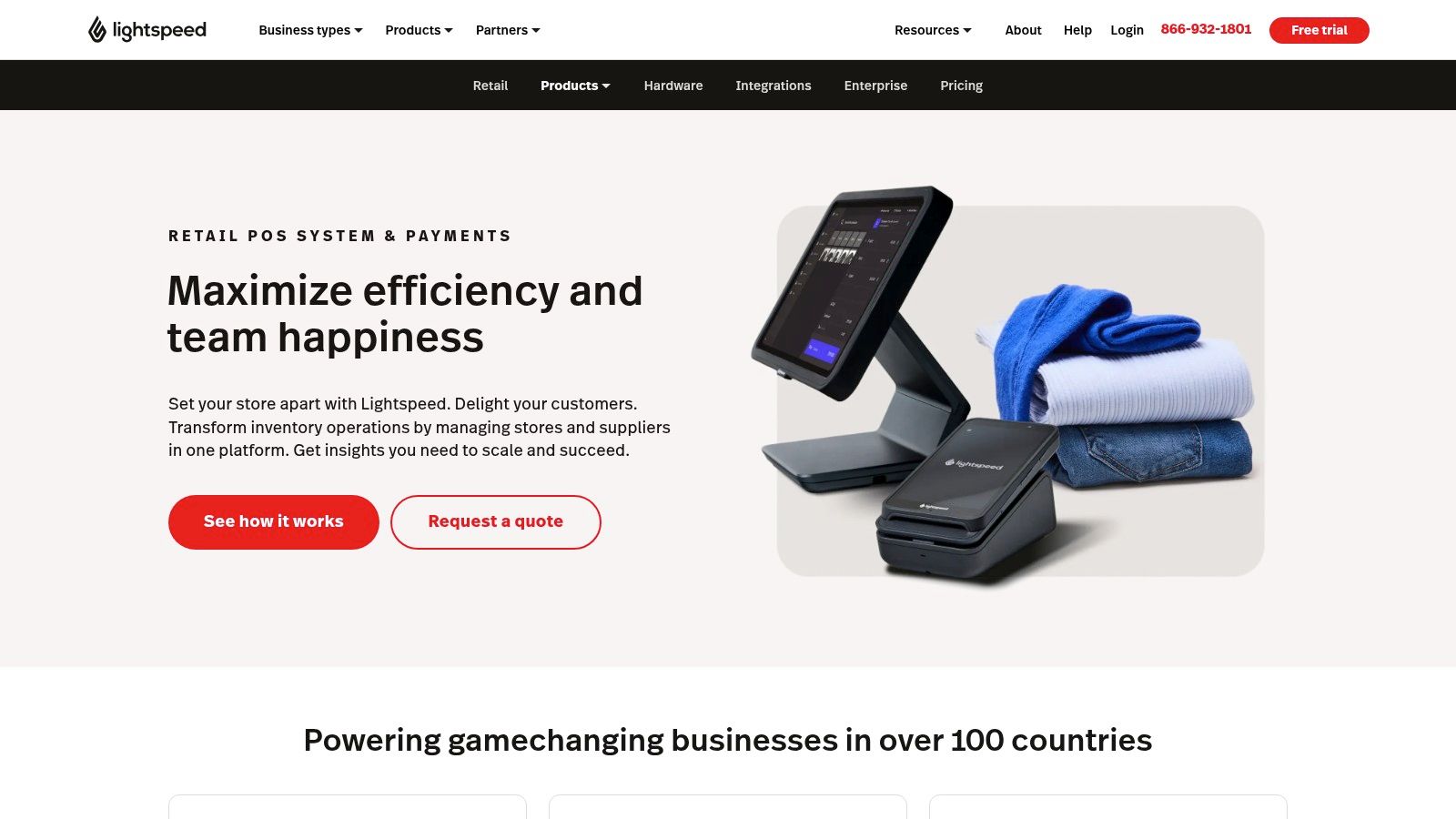
Store managers can track variants across locations, build and receive supplier purchase orders, run mobile barcode stock counts, monitor landed costs and product margins, and use built-in reports and recommendations to guide reorders. Lightspeed advertises a 14-day trial on its retail inventory page, though there's no permanent free tier.
How Multi-Location Retail Costs Scale
POS-led inventory platforms usually cost more than lightweight stock trackers, and physical expansion drives the bill up fast. For comparison, GrowWithAIBiz's 2026 small-business inventory overview notes that Square lists $0 per location for Square Free, $49 per month per location for Square Plus, and $149 per month per location for Square Premium (checked in 2026), meaning two locations on Plus jump to $98 per month and three reach $147 before extra services.
Lightspeed Retail follows a similar cost pattern for brick-and-mortar growth: adding locations, registers, or add-on services raises total spend well past entry-level quotes. Very small solo sellers or businesses outside physical retail, such as wholesalers or service contractors, will pay for point-of-sale tools they don't use.
6. Katana
Resellers only track finished goods coming in and going out. Small manufacturers face a harder problem: raw materials, sub-assemblies, and finished products all move at once, and one delayed supplier shipment can stall an entire build schedule. Supply volatility makes that link critical. Research covered by Supply Chain Dive found supplier lead-time swings affected 29% of small- and mid-sized business respondents, raw-material costs affected 23%, freight and shipping costs affected 23%, and demand shifts affected 21%, while the share reporting more than 10% dead stock doubled since 2024.
Katana is built specifically for makers and light manufacturers that need material availability tied directly to production work.

Production Control and the Free Plan Ceiling
Katana connects shop-floor schedules with sales orders and purchasing, so a team can see whether raw materials are on hand before promising a ship date.
- Material and Production Visibility: Tracks raw materials, finished goods, and multi-location stock while linking material availability directly to manufacturing schedules.
- Connected Sales and Books: Manages sales orders and purchasing alongside integrations for ecommerce storefronts and accounting platforms.
- No-Card Free Tier: Offers a free plan with no credit card required, letting workshops test manufacturing workflows before committing.
- Overkill for Resellers: Adds production layers that businesses reselling finished goods won't need and shouldn't pay for.
Manufacturing check: Test the free tier with one full product line, including every raw component, before budgeting for a paid plan.
The free tier caps how many SKUs a workshop can manage, and a product line with several raw components and variants can exhaust that allowance quickly. Past the cap, Katana's entry paid plans sit well above the price of simple stock trackers, so the jump in cost is real. For pure stock counting that jump is hard to justify. For makers coordinating raw materials, bills of materials, and build queues, generic retail trackers break down long before Katana's paid tier does, because they have no concept of materials consumed by production.
7. inFlow Inventory
Wholesalers, distributors, and growing product teams often sit in the middle ground: too complex for basic apps like Sortly or entry-level Zoho tiers, yet not ready for enterprise warehouse software. inFlow Inventory combines purchasing, sales orders, multi-location stock control, and picking, packing, and shipping workflows in one platform.
The dashboard brings purchase orders, sales fulfillment, and warehouse locations into a single structured view.
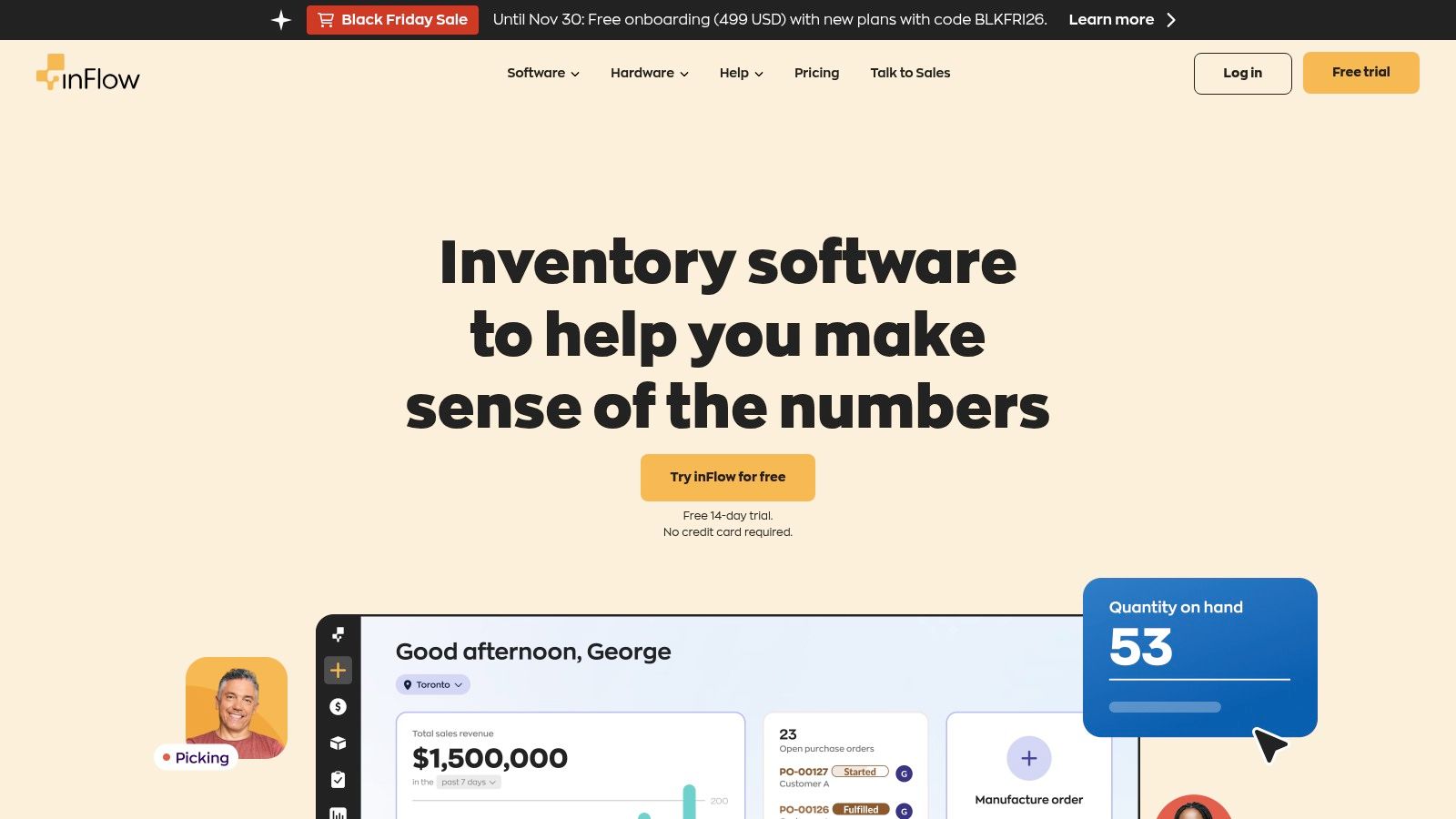
inFlow connects with Shopify, Amazon, WooCommerce, Xero, and QuickBooks Online, includes barcode tools alongside a separate Stockroom product, and offers manufacturing plans with bills of materials and assembly workflows. Distributors committed to running heavy warehouse workflows inside QuickBooks can compare inFlow against specialist alternatives covered in this Fishbowl Inventory review before choosing a platform.
Budgeting Beyond the Monthly Subscription
inFlow doesn't offer a permanent free plan, and its entry subscription sits above lightweight tools like Sortly or Zoho Inventory. Buyers evaluating distribution software should price out onboarding, hardware, and first-year setup alongside the recurring monthly rate.
- Published Base Tier and Onboarding: Pricing comparison data checked in mid-2026 by inFlow Inventory lists inFlow Lite at $99 per month billed annually, with a $499 onboarding charge that is optional on Lite and required on Core and higher plans.
- Implementation and Hardware Reality: A 2026 cost breakdown in inFlow's inventory software cost guide estimates implementation at $500 to $10,000 or more, warehouse hardware at $1,000 to $5,000, and premium integrations or support at $80 to $200 per month.
- First-Year Team Budget: That same guide estimates a typical five-person team can spend roughly $6,500 to $8,000 in total first-year cost once subscriptions, onboarding, hardware, and integrations are combined.
Request separate itemized quotes for data migration, barcode scanners, extra user seats, and order-volume tiers before signing an annual agreement.
Starting price, free plan and best fit for each inventory tool
| Item | Published starting price | Free plan | Best for |
|---|---|---|---|
| Zoho Inventory | $29 per organization/month, billed annually, cited by SupplyAutomate | Yes; 50 orders/month and one user | Startups and small sellers needing affordable stock and order management |
| Shopify | Shopify POS Pro add-on at $89 per location/month | No permanent free inventory plan; Shopify's basic selling plan has no full inventory system | Businesses selling online and in person through Shopify |
| Sortly | Price varies by paid tier; no concrete starting price stated here | Yes; 100 items and one user | Small inventories needing visual, mobile-friendly tracking |
| QuickBooks Online | Inventory tracking on Plus and Advanced plans; no starting price stated here | No free plan for inventory tracking | Product businesses that want inventory connected to accounting |
| Lightspeed Retail | Paid retail plans; confirm current tier rates before purchase | 14-day trial; no permanent free tier | Physical retailers managing POS and stock across locations |
| Katana | $299/month; confirm current tier rates before purchase | Yes; up to 30 SKUs | Small manufacturers managing production and materials |
| inFlow Inventory | inFlow Lite at $99/month billed annually | No permanent free plan | Wholesalers and distributors managing orders and fulfillment |
The useful comparison here is not a single winner. It is the type of stock problem the business has. A shop counting tools in job boxes needs different software from a brand selling on several channels or a manufacturer turning raw materials into finished goods. Free plans help only while item counts, orders, locations and users stay small.
Zoho Inventory fits small sellers that need stock and order management without a large budget. Its free plan allows 50 orders per month and one user, which suits a low-volume startup. The $29 per organization/month, billed annually figure comes from SupplyAutomate, so treat it as a comparison figure rather than a vendor-page price.
Shopify fits businesses that sell online and in person through Shopify. The POS Pro add-on is $89 per location/month, which makes location count the first cost check. Shopify gives smaller sellers a path into multichannel selling, but serious retail inventory control usually starts once the business is ready to pay for POS Pro.
Sortly fits small inventories that need visual, mobile-friendly tracking. Its free plan covers 100 items and one user, a workable limit for tools, supplies or shared equipment. The practical stopping point arrives when several people need access or item records outgrow that 100-item ceiling. QuickBooks Online fits product businesses that want inventory connected to accounting. Inventory tracking sits on Plus and Advanced plans, and there is no free plan for that workflow. The trade-off is accounting alignment: useful for stock costs and financial reporting, less suitable as a detailed warehouse or production system.
Lightspeed Retail fits physical retailers running POS and stock across locations. It offers a 14-day trial, with no permanent free tier. Current tier rates should be confirmed before purchase because retail plans depend on register, location and feature needs.
Katana fits small manufacturers managing production and materials. Its free plan covers up to 30 SKUs, which can support a very small product line. The $299/month figure should be checked against current tier rates, especially when production orders, components and materials need room to grow.
inFlow Inventory fits wholesalers and distributors managing orders and fulfillment. It has no permanent free plan, and inFlow Lite is $99/month billed annually. That puts it above lighter tracking tools, but it suits stock operations where purchase orders, sales orders and fulfillment need to sit together.
Checking Plan Limits Before You Commit to Inventory Software
Software adoption across small firms is still uneven, and hype around new features can distract buyers from basic fit. According to Firework's ecommerce inventory statistics, 46% of small and medium-sized businesses had adopted inventory management software in 2024. Meanwhile, Netstock's 2024 benchmark survey of more than 300 small and medium-sized businesses worldwide reported that 23% had invested in artificial intelligence.
Before chasing AI forecasting claims or enterprise feature checklists, any owner or operations lead can run a quick decision routine this week.
- Name the Stock Problem First: Write down whether the daily bottleneck is counting tools and supplies, syncing multichannel sales, matching stock costs to QuickBooks, running retail registers, or scheduling production from raw materials.
- Shortlist Two Matching Tools: Pick only two platforms built for that exact workflow instead of demoing six unrelated apps.
- Stress-Test Plan Limits: Measure each free plan and first paid tier against current monthly order volume, SKU count, user seats, and storage locations, plus six months of expected growth.
- Log and Re-Verify Prices: Copy each starting price word for word from the vendor's pricing page with the exact date checked, then confirm it again right before subscribing because promotional rates, add-on fees, and tier caps change often.
For teams comparing operational software beyond inventory, TopToolAdvisor applies the same published scoring method across every shortlist, weighting features at 35%, ease of use at 35%, and value at 30%, while quoting starting prices directly from vendor pages with the check date attached.
Ready to narrow down the rest of your business stack? Visit TopToolAdvisor's shortlists across Finance & accounting, Ecommerce, Sales & CRM, and Industry software to compare 8 to 10 vetted tools side by side using the same transparent feature, usability, and pricing framework.
Cite this page
TopToolAdvisor. "6 Best Inventory Management Software for Small Businesses." Updated November 27, 2026. https://toptooladvisor.com/best-inventory-management-software-for-small-businesses
Questions or corrections: editorial@toptooladvisor.com