Guide · General
10 Best Software to Manage Small Business in 2026
Compare software to manage small business across accounting, CRM, payroll and project work, with free plans and vendor starting prices checked for 2026.
By the TopToolAdvisor research desk · Updated November 26, 2026 · 18 min read
A landscaping owner and a café owner open the same software comparison page on a Monday morning and need almost nothing from it in common. One runs a six-person crew that invoices commercial clients on 30-day terms, pays four employees every other week and tracks costs by property. The other runs a three-person café that takes card payments all day, counts stock twice a week and pays two people weekly. Both are shopping for software to manage a small business. Only one needs a full accounting suite in month one.
The split is measurable. OECD analysis of SME digitalisation reported that about 32.4% of U.S. employer firms used cloud-based computing in 2018, roughly 1.6 million businesses, while 38.3% used specialized software. By 2025, the UK Department for Business and Trade small business survey found that 74% of SME employers used technology or web-based software to sell to customers or manage the business.
This list groups tools by the job a business repeats every week, not by brand. Money covers accounting, invoicing and payments: QuickBooks Online and Xero are the likely fits. Customers covers CRM and marketing: HubSpot CRM. People covers payroll and HR: Gusto. Work covers projects and tasks: Asana and monday.com.
Each entry states setup effort, whether a free plan exists and where the vendor publishes pricing. Where no vendor price could be verified, the entry says so instead of estimating. The grouping comes from job frequency: which task does the business do over and over?
Table of Contents
- 1. TopToolAdvisor
- 2. QuickBooks Online
- 3. Xero
- 4. Zoho Books
- 5. Wave
- 6. HubSpot CRM
- 7. Gusto
- 8. Square
- 9. Asana
- 10. monday.com
- How the ten tools compare on core job, free option and best fit
- Match One Daily Job to One Shortlist This Quarter
1. TopToolAdvisor
Nine entries on this list are products. The first stop is the research layer that makes them comparable in the first place, because filtering by the job at hand shortlists software faster than browsing a category page.
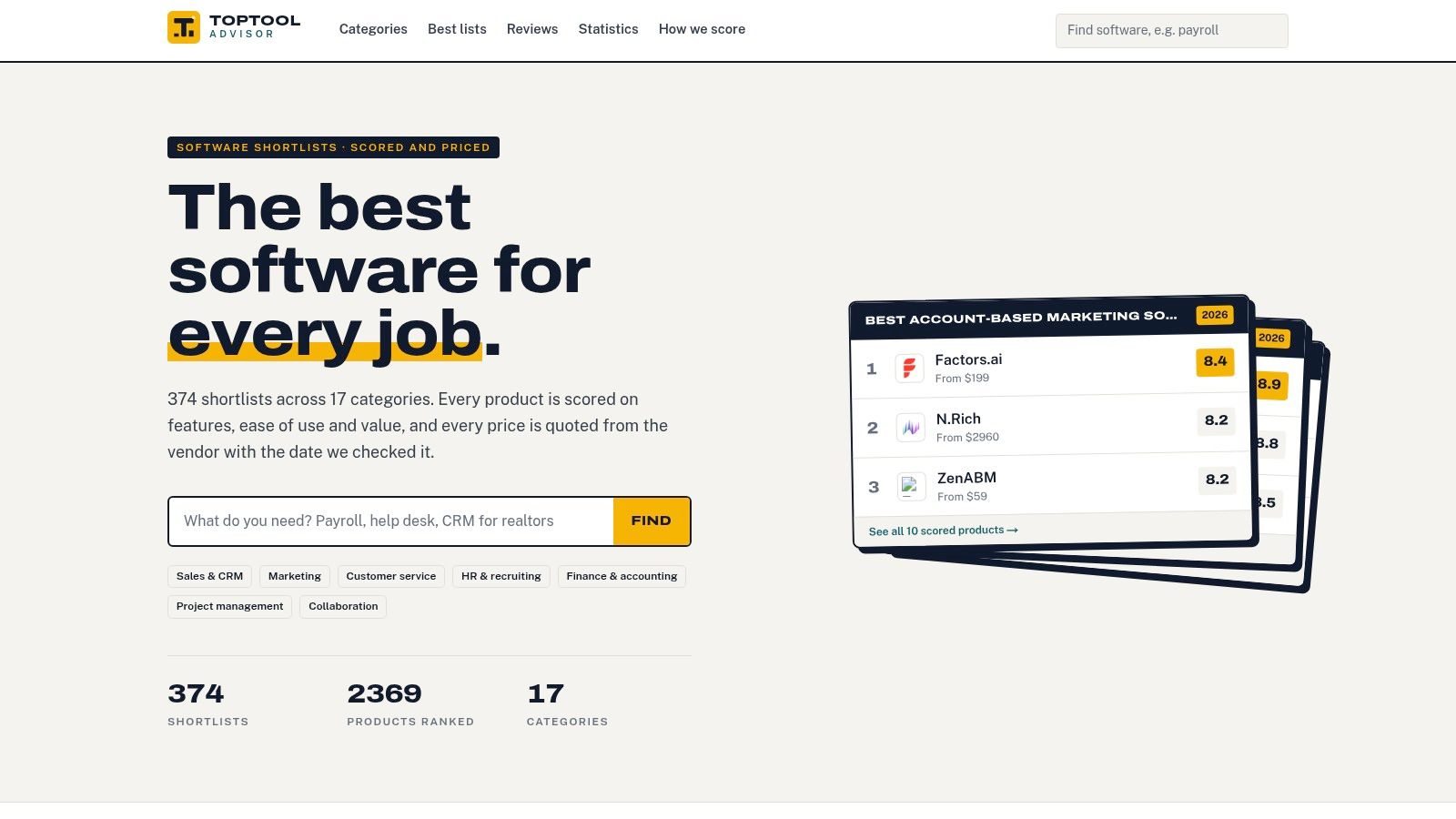
TopToolAdvisor is a free-to-browse directory of business software shortlists. They are grouped by function, such as CRM, marketing, customer service, HR and recruiting, finance and accounting, project management and AI tools, and by industry, covering trades from law firms and clinics to restaurants and construction firms. For each job a company needs software for, it compares 8 to 10 products rather than ranking an entire market.
One scoring model across every shortlist
Each product is scored on features 35%, ease of use 35% and value 30% under one published method, and rankings are recomputed from those weights. That consistency matters more than buyers expect: a CRM shortlist and a payroll shortlist are judged the same way, so scores transfer across categories without translating between reviewers.
Starting prices are quoted from the vendors' own pricing pages with the date each price was checked, and each shortlist shows when it was last updated and when it's next due for review. The statistics pages carry sourced figures on customer service, project management and other categories, each linked to its original publisher, which helps analysts and content teams build a case for a purchase.
Matching product complexity to capability is the harder half of the job. The OECD Digital for SMEs 2025 survey, covering 1,000 SMEs in 10 countries, found that only 16% were at a basic digitalisation stage while 35% were competent, integrating cloud, mobile and e-commerce tools across functions. And the jobs keep shifting: Thryv's 2025 survey of 540 small-business decision-makers found 55% used AI, up from 39% in 2024.
Where it stops short
Rankings rest on documented features, published prices and documentation-based assessment rather than disclosed hands-on testing, so they can miss quirks that only show up in daily use. Vendor prices can change after the check date, and the directory offers no independent user reviews or testimonials to weigh alongside the scores.
2. QuickBooks Online
The money group starts here because it's where most small firms already have a relationship. An accountant, a bookkeeper or a bank feed usually pushes the decision toward Intuit's platform before any feature comparison happens.
Accounting is the most adopted category among firms that use business software at all. The UK longitudinal small business survey of 2024 reported that 80% of SME employers using technology or web-based software used accounting software, the highest rate of any category it measured.
QuickBooks Online covers the daily bookkeeping loop:
- Bank feeds and categorization: imports transactions and sorts them into accounts, which is the chore it replaces.
- Invoicing and collection: creates invoices and supports payment collection and reminders.
- Reports: profit and loss, sales and other statements a lender or accountant will ask for.
- Accountant access: a shared view for the year-end review, which matters more than most features.
Setup is data work, not configuration. Expect to connect bank and card accounts, map the chart of accounts to the categories the business really uses, and import customers and opening balances. A firm with two bank accounts, a credit card and a payment processor should plan on an evening or two before the numbers are trustworthy.
Intuit sells several plan levels, and the right one depends on user count and required features, so a single advertised figure rarely holds. Introductory promotions often sit below the regular subscription. The practical step is to price the tier that matches real user count and check what the cost of accounting software includes beyond the headline. No starting price was verified for this entry, so the figure to trust is the one on Intuit's pricing page on the day it's read.
The limit to know: accounting software doesn't run jobs, dispatch crews or manage real inventory, and upgrading a tier for one feature raises the whole bill.
3. Xero
Xero answers a different question than QuickBooks: how many people need to see the books? US plans carry no per-user licence fee according to Xero's US pricing page, which changes the math for a firm where the owner, a partner and a bookkeeper all need access.
Size decides how much software a firm buys. The SBA Office of Advocacy's 2023 small business FAQ reported that about 38% of small businesses use specialized software in their operations, and that small businesses account for 39.4% of private-sector payroll. That second figure explains why per-seat charges matter: a payroll-heavy business pays for people twice, once in wages and again in software seats.
Core functions cover invoices and quotes, bill tracking, bank reconciliation and real-time reporting. Higher plans add cash-flow forecasting, budgeting, multiple currencies and project tracking, and payroll is available as an optional add-on powered by Gusto.
Where the entry plan pinches
The cheapest tier limits invoices and bills, and payroll, inventory and project features sit on higher tiers or separate add-ons. Migration is the work: chart of accounts, opening balances, contacts and recurring invoices all have to move, and a business switching mid-year should run the old system in parallel for a month before closing the books.
Introductory offers can obscure the regular subscription, and no dollar figure was verified here. Xero's own page carries the current number and the tier it applies to, so record the date it was read.
4. Zoho Books
Zoho Books is the budget route into bookkeeping, and its trade-off is the mirror image of the previous two entries: more configuration to get right, less to pay for seats. There's a free plan for eligible smaller businesses, and paid tiers add capability in stages.
The feature set runs from invoices, quotes, expenses and recurring invoices through bank reconciliation, sales tax and financial reports. Higher plans add inventory, purchase approvals and custom workflows, and upper tiers raise user counts and analytics.
Setup is a line item
Configuration isn't free labour even when the licence is. The City of Portland Small Business Digital Transformation Grant lists CRM, inventory management, financial management, marketing, cybersecurity, cloud storage, payment processing and website software as eligible expenses, and explicitly allows businesses to set up those systems and train staff on them. A public program treating configuration and training as fundable costs is the clearest signal that implementation belongs in the budget.
Monthly prices may carry local taxes, and user limits vary by plan. No starting figure was verified in the material reviewed, so Zoho's own pricing page is the place to confirm the number and the tier it covers.
The breadth is the risk. A firm that only needs invoices will spend a weekend on fields it will never fill, and inventory or purchase approvals force a process redesign rather than a toggle. Solopreneurs who want a free start and Zoho's wider suite in reserve get the most from it; firms with one simple revenue stream usually don't.
5. Wave
Wave targets the smallest end of the market, and the case for it is a free Starter plan with basic invoicing and bookkeeping. For a sole proprietor with one bank account and fewer than a dozen invoices a month, that's often enough.
Scale explains why a free plan has a market at all. An OECD survey of SMEs with Facebook pages found that roughly 40% of micro-firms with 0 to 9 employees increased their use of digital technologies during 2020, compared with about 50% of firms employing 10 to 49 people and 60% of medium-sized firms with 50 to 250 employees. Money and staff capacity decide adoption more than the price of a licence.
Wave handles estimates, invoices and bills, keeps bookkeeping records, and offers mobile invoicing with a dashboard for cash flow and customers. The paid Pro tier adds bank transaction imports, categorization, receipt capture and expense tracking, and payroll or bookkeeping assistance is available as an optional service.
Setup is short: business profile, bank connection, a few customers, then a test invoice. The constraint is bank connectivity. If the firm's bank doesn't connect, bookkeeping falls back to manual entry and the Pro automation stops earning its fee.
Payment processing carries transaction fees, which changes the true cost for any business collecting card payments. Pro's subscription, payroll fees and processing rates weren't verified here; Wave's own pricing and fee pages are the places to confirm them with a check date.
Watch the exit, not just the entry. Multi-currency, inventory, detailed reporting and deeper integrations eventually push a growing business elsewhere, so export clean records while the books are still simple.
6. HubSpot CRM
Customer tracking almost always starts in a spreadsheet: a list of names, a column for last contact, a note about the quote. The spreadsheet holds until two people touch the same deal, and then it fails.
Where small firms put their tooling effort follows the work. Verizon's 2025 State of Small Business Survey, conducted with Morning Consult, found that 38% of U.S. small and medium-sized businesses used AI in at least one capacity, including 28% for marketing and social media and 24% for written communications. Marketing and customer replies are where a small team first sees value, which is why CRM plus marketing is the common starting bundle.
HubSpot CRM manages contacts, deals and pipelines, and the free tier includes email tracking, templates, meeting scheduling and reporting. Customer data connects to HubSpot's marketing, service and content products, so a team can start free and add paid capability later.
Setup is a pipeline decision, not a data dump. Two or three stages, the fields the team will fill, and a rule that no deal moves without a next step. Teams that import every historical contact on day one end up maintaining a database instead of a sales process.
Comparing the best CRM platforms comes down to how much bundle a business will use rather than how long the feature list is. Free and lower tiers carry user, contact or feature limits, and costs climb sharply with higher-level products and bundles. No starting price was verified here; HubSpot publishes the plan figures on its own pricing page.
A workable rule: a CRM earns its keep when a second person can answer what happened on an account without asking anyone.
7. Gusto
Payroll is the job with a deadline attached, which makes it the wrong place to optimize on subscription price alone. Gusto runs payroll and handles tax filings and payments, and it adds employee onboarding plus basic PTO and holiday-pay tools on standard plans.
Higher tiers add time tracking, scheduling, contractor invoice management and HR guidance, and optional services include state tax registration and global contractor payments. That split matters: a three-person firm paying two employees needs payroll and filings, not scheduling and HR templates.
Implementation means employee records, pay rates, bank details for direct deposit, tax registrations and a decision on the pay schedule. The first payroll takes the longest. A business switching mid-quarter should confirm which filings the previous provider has already submitted before running anything in the new system.
Cost is a base fee plus a per-person charge
Gusto prices standard plans with a base fee plus a per-person charge, and several add-ons are priced separately. Model the total against headcount, not the base. The base fee and per-person figure weren't verified here, so Gusto's pricing page is the only place to confirm current numbers and what each tier includes.
The platform is built for US businesses. A firm with contractors or employees outside the country should verify coverage before assuming it's handled, and time tracking, scheduling and HR guidance sit on higher tiers or paid add-ons rather than in the base plan.
8. Square
Square is a payments business first, and its software follows the money. A café or market stall taking card payments all day gets a point-of-sale app, an item library, invoicing and a basic online presence on a free plan.
- In-person and online payments: card readers, terminals, invoices and payment links without a monthly software charge.
- Free tier scope: the POS app, item library, invoicing and a basic online presence cover a counter business.
- Business-specific products: separate retail and restaurant POS setups handle the workflows each trade repeats.
- Paid plan additions: inventory controls, purchase orders and location management appear as the business grows.
Security belongs in the comparison because payment data attracts attention. The U.S. Small Business Administration's October 2024 cyber summary reported that 41% of small businesses experienced a cyberattack in 2023, with a median cost of $8,300. CISA's guidance in the same post advises small firms to update business software, since outdated applications carry exploitable flaws, and points to its no-cost SCuBA tool for hardening software-as-a-service configurations.
Setup is hardware and items: card reader or terminal, tax rates, item names and prices, receipt settings, then a test transaction before the first customer. Transaction fees drive the cost comparison, and paid plan fees multiply across locations. No starting price or processing rate was verified here; Square's own pricing page carries both with a check date.
It isn't an operations system. Scheduling, payroll, supplier management and job costing live elsewhere, so a business needing those is buying a second product.
9. Asana
Task ownership fails the same way in every small firm: two people assume the other sent the quote, and the customer finds out first. Asana organizes tasks and projects in list, board and calendar views, and the paid Starter tier adds timelines, Gantt views, dashboards, forms and automations. That fits work that repeats, such as client onboarding, content calendars and proposal follow-up, where a named owner matters more than a long feature list.
Integration is where coordination tools earn or lose their place. A 2025 small-business AI survey found that a majority of current AI users and AI explorers had experienced problems with tools that don't work well together, and that microbusinesses specifically needed technical support and practical integration training. For a small team, that means checking who enters customer data, where replies are logged and what happens when a connection breaks.
That finding sets a better buying test than a count of integrations: whether data flows reliably, which system is authoritative, what breaks when a connection fails, and how hard it is to export records during a switch. A project management platforms comparison can help with that question, but the buyer still has to decide which system owns the truth. Asana can hold the work plan while the CRM holds the deal, but the handoff needs a clear rule.
Setup takes an hour for a simple team: one project, a few sections, a named owner per task, and a template for the work that repeats. Templates save the most time for onboarding, content calendars and recurring client work. Higher plans add goals, portfolios, approvals and resource management, which a team of six rarely opens. Those tools make more sense when several managers run parallel projects and need one view of workloads.
Asana's free Personal plan is a useful place to start, but per-user pricing adds up as the team grows, so check the current user limit on Asana's pricing page. No starting price was verified here. I would treat Starter as a purchase to make only when timelines, forms or automation replace a recurring manual step.
Before adopting a board, decide which system owns the truth. A task in Asana and a deal in the CRM should never disagree about who owes the customer a reply.
10. monday.com
A growing team needs one place to see who owns each task, what is late and which handoff is stuck. The work-management product uses customizable boards to track projects, clients and internal processes, with templates for common workflows. That makes it useful for firms that need to model client onboarding, a content calendar or a supplier list without buying a purpose-built system.
The trade-off is setup. Boards, views, automation and permissions only help after someone defines the workflow clearly. Paid plans add views, automation and collaboration features, and a separate monday CRM product handles leads, contacts and deals. Work management and monday CRM price separately, so compare the page for the product being bought. No starting price was verified here. The free work-management plan is limited, and AI features and some views are tied to paid plans. Check monday.com's pricing page for current free-plan limits, product terms and team-size costs before committing.
AI belongs in a defined job. The U.S. Census Bureau's December 2024 analysis reported that businesses with 1 to 4 employees increased AI use from 4.6% to 5.8% during the measured period in 2023 and 2024, an increase of 1.2 percentage points or about 0.05 percentage points every two weeks. That slow move argues for buying a named workflow, such as task handoffs or status updates, rather than an AI label.
monday.com fits teams organizing projects and internal workflows across several people or functions. Too much customization becomes maintenance. A team that rebuilds its board every quarter is running a side project, not a process. A business with one repeating workflow and no cross-team handoffs can get the same result from a spreadsheet and a shared checklist.
How the ten tools compare on core job, free option and best fit
Read the table left to right. The core job column tells you which daily problem the tool owns, the free option column tells you whether you can start paying nothing, and the best fit column names the business shape the entry was written for. If the free option column says paid plans only, the entry above quotes whatever starting price was checked on the vendor's own page.
| Item | Core job | Free option | Best for |
|---|---|---|---|
| TopToolAdvisor | Compare and research business software | Free-to-browse directory | Businesses building a software shortlist |
| QuickBooks Online | Accounting, bookkeeping, and invoicing | Paid plans only; see the entry for pricing | Small businesses needing full-featured accounting |
| Xero | Cloud accounting and financial reporting | Paid plans only; see the entry for pricing | Small teams needing shared accounting access |
| Zoho Books | Accounting with configurable workflows | Free plan for eligible smaller businesses | Solopreneurs and small businesses seeking customization |
| Wave | Bookkeeping and invoicing | Free Starter plan | Freelancers and very small service businesses |
| HubSpot CRM | Contact, deal, and sales pipeline management | Free CRM | Founders and small teams organizing sales |
| Gusto | Payroll and HR administration | Paid plans only; see the entry for pricing | US employers managing payroll and employee administration |
| Square | Payment processing and point-of-sale | Free plan | Sellers accepting in-person or online payments |
| Asana | Project and task coordination | Free Personal plan for up to two users | Small teams tracking tasks and deadlines |
| monday.com | Customizable work management | Limited free work-management option | Teams organizing projects and internal workflows |
Two patterns matter here. First, the free column splits the list in half: accounting beyond the smallest scale, payroll and shared-access bookkeeping start paid, while invoicing, contact management, payments and task tracking all have a genuine no-cost starting point. A solo operator can assemble invoicing, a CRM and a task list without spending anything, then add paid tiers as headcount grows.
Second, free rarely means unlimited. Zoho Books ties its free plan to business size, Wave's free tier covers the basics of bookkeeping and invoicing, HubSpot's free CRM organizes contacts and deals before paid sales features, Square charges on transactions rather than a subscription, Asana caps its Personal plan at two users, and monday.com limits free work management to two seats and three boards. Each ceiling is different, so the key comparison is which limit your business hits first. A two-person consultancy never touches Asana's seat cap but outgrows Wave the moment it needs payroll. A retail seller pays Square from the first transaction regardless of plan.
The ten rows also divide cleanly by the four daily jobs this article uses: money (QuickBooks Online, Xero, Zoho Books, Wave, Gusto, Square), customers (HubSpot CRM), work (Asana, monday.com) and the research step that comes before any of them (TopToolAdvisor). Most small businesses need one tool per job, not ten subscriptions, so the shortest path is picking the single row that matches the job causing friction right now and reading its full entry before comparing anything else.
Match One Daily Job to One Shortlist This Quarter
Pick the single job that causes the most friction this quarter. It's usually obvious: invoices go out late, payroll eats a Friday, deals fall out of the spreadsheet, or nobody can say who owns a task. Shortlist two or three tools from that group alone, then confirm each vendor's current starting price on its own pricing page and record the date checked.
Plans, add-ons and introductory offers change, so treat any figure without a named vendor and a check date as unverified. That rule applies to every entry above. Where a price wasn't verified, the number on the vendor's page today is the only one worth comparing.
Before switching, compare setup effort and data migration against the subscription. The cheapest plan is rarely the lowest total cost once users, add-ons and transaction fees are counted. Chart of accounts and opening balances, employee records and tax filings, contacts and deal history, open tasks and their owners: each has a migration cost measured in hours, and a mid-year switch adds parallel running on top.
A price is a starting point, not a total. Base fee plus per-person charges plus processing rates plus implementation time is the number that decides whether a tool pays for itself.
Start with the job, not the brand. A café that only needs a till and simple bookkeeping shouldn't evaluate a full accounting suite, and a six-person service firm shouldn't run payroll on a free invoicing app. Match one daily job to one shortlist, check the price at the source, and let the next quarter's friction pick the second tool.
To do that in practice, open the shortlist for the job in front of you. TopToolAdvisor publishes shortlists for Sales and CRM, Marketing, Customer service, HR and recruiting, Finance and accounting, Project management and more, scores every product in a category with the same published weights, and quotes the vendor's own starting price with the date it was checked. Pick the group that matches this quarter's worst job, shortlist two or three products from it, and confirm the numbers on the vendors' pages before signing anything.
Cite this page
TopToolAdvisor. "10 Best Software to Manage Small Business in 2026." Updated November 26, 2026. https://toptooladvisor.com/software-to-manage-small-business
Questions or corrections: editorial@toptooladvisor.com