Guide · General
Cloud Based PBX for Small Business: Top 10 Picks
Compare the 10 best cloud based PBX for small business options by calling features, setup effort and price, with vendor prices and dates checked.
By the TopToolAdvisor research desk · Updated November 9, 2026 · 13 min read
Is the cheapest Cloud Based PBX for Small Business plan the cheapest once desk phones, taxes, SMS registration and the next tier are added? That question changes most shortlists. A solo operator who needs one business number, a Google Workspace shop that wants simple routing, and a multi-site office that needs call queues don't buy the same system, even when vendor pages use identical words like unlimited, AI and collaboration.
Each pick below is matched to a concrete situation, with documented features, setup effort and published prices from the vendor's own page on the date checked. Limitations are stated plainly, including user caps, metered calling and features locked behind upgrades.
The market context supports a direct comparison rather than a one-off purchase. The DataIntelo cloud PBX software market report valued global cloud PBX software revenue at $10.35 billion in 2025, with a projection to $29.77 billion by 2034. Buyers are choosing inside a mature category. The practical job is narrower: match team size, calling volume, locations and existing apps to a plan that fits without paying for an unused contact centre.
Table of Contents
- 1. 9 Best VoIP Phone Services of 2026
- 2. RingCentral RingEX
- 3. Nextiva
- 4. Ooma Office
- 5. Zoom Phone
- 6. Dialpad Connect
- 7. 8x8 Work
- 8. Google Voice for Google Workspace
- 9. Quo (formerly OpenPhone)
- 10. Grasshopper
- Cloud PBX options for small business at a glance
- How to Pick One and Switch Without Downtime
1. 9 Best VoIP Phone Services of 2026
Start with the TopToolAdvisor shortlist of nine VoIP phone services when the immediate decision is replacing landlines, an office PBX or an older phone system, and the field of ten names still feels interchangeable. The shortlist compares nine services in one place and scores them with a consistent framework based on features, ease of use and value. That structure suits owners, office managers and IT leads who need a defensible starting point before requesting quotes.
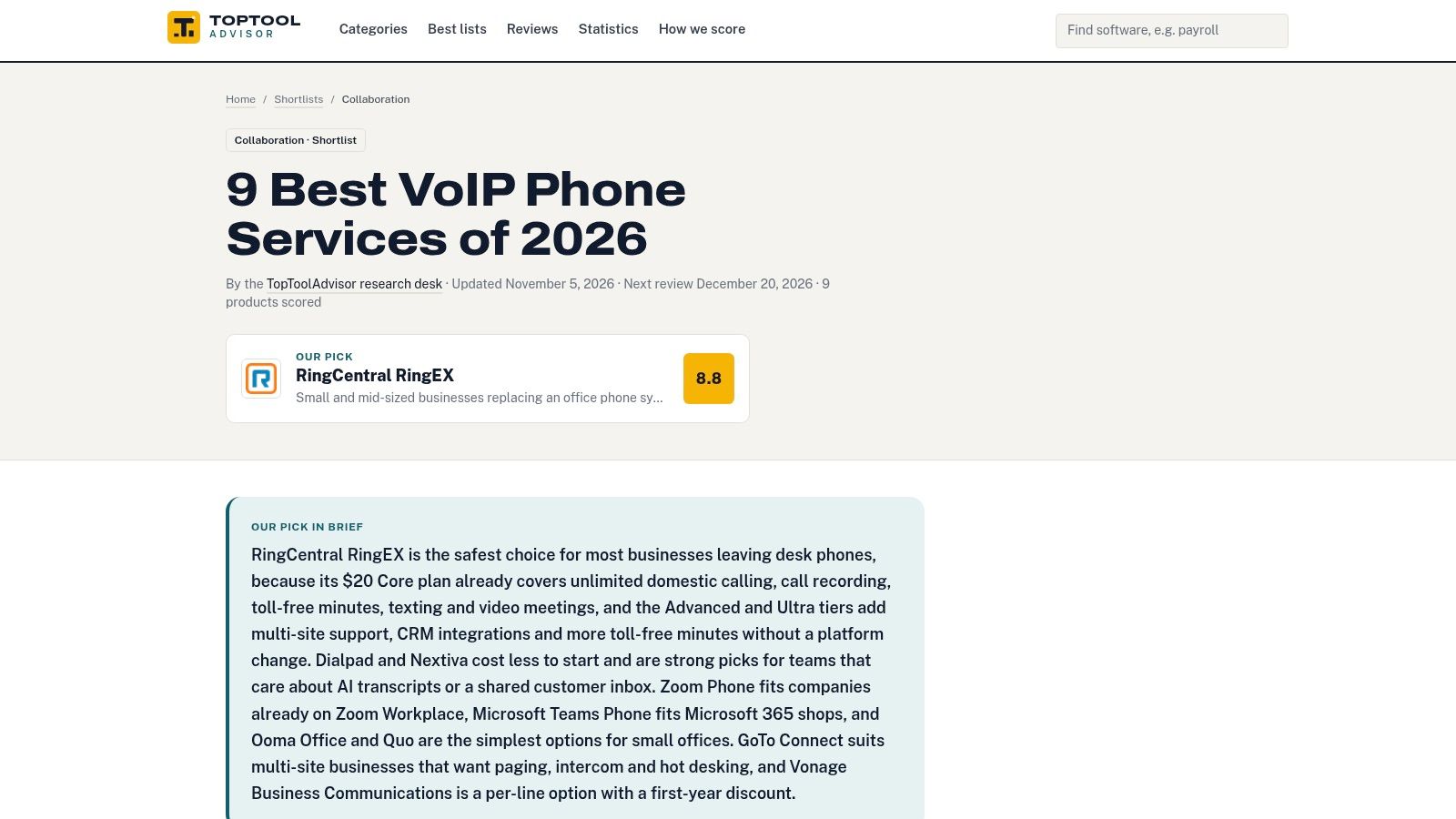
RingCentral RingEX ranks first at 8.8 out of 10 because it brings business calls, texting, video meetings and team chat together in one service. That makes it the reference point for a small or mid-sized business replacing an office phone system across one or more locations, not an automatic winner for a solo operator who only wants a forwarding number.
Practical rule: Use the ranked shortlist to narrow the field to two or three finalists, then price the exact tier, hardware and add-ons each finalist requires.
What the Shortlist Does and Does Not Do
- Narrows nine options quickly: All-in-one platforms sit alongside simple per-line plans for small offices, so buyers can drop poor fits early.
- Scores the same way: A published framework prevents a low headline price from hiding weak call handling or difficult administration.
- Keeps budget honest: Plan features and prices differ across providers, so current vendor details still need verification before purchase.
The limitation is straightforward. The top-ranked service may not fit every company's calling needs or budget, and a lower-ranked phone-only option can be the right answer for a team that already has meetings, chat and CRM elsewhere. Use the ranking as a filter, not as a purchase order.
2. RingCentral RingEX
Pick RingCentral RingEX for a growing office that wants phone, team messaging and optional video meetings in one administered platform, with room to add call management as headcount rises. It's built for more than a single line. Mobile and desktop apps, business or toll-free numbers and multi-site administration tools support owners who don't want to re-platform after the next hire.
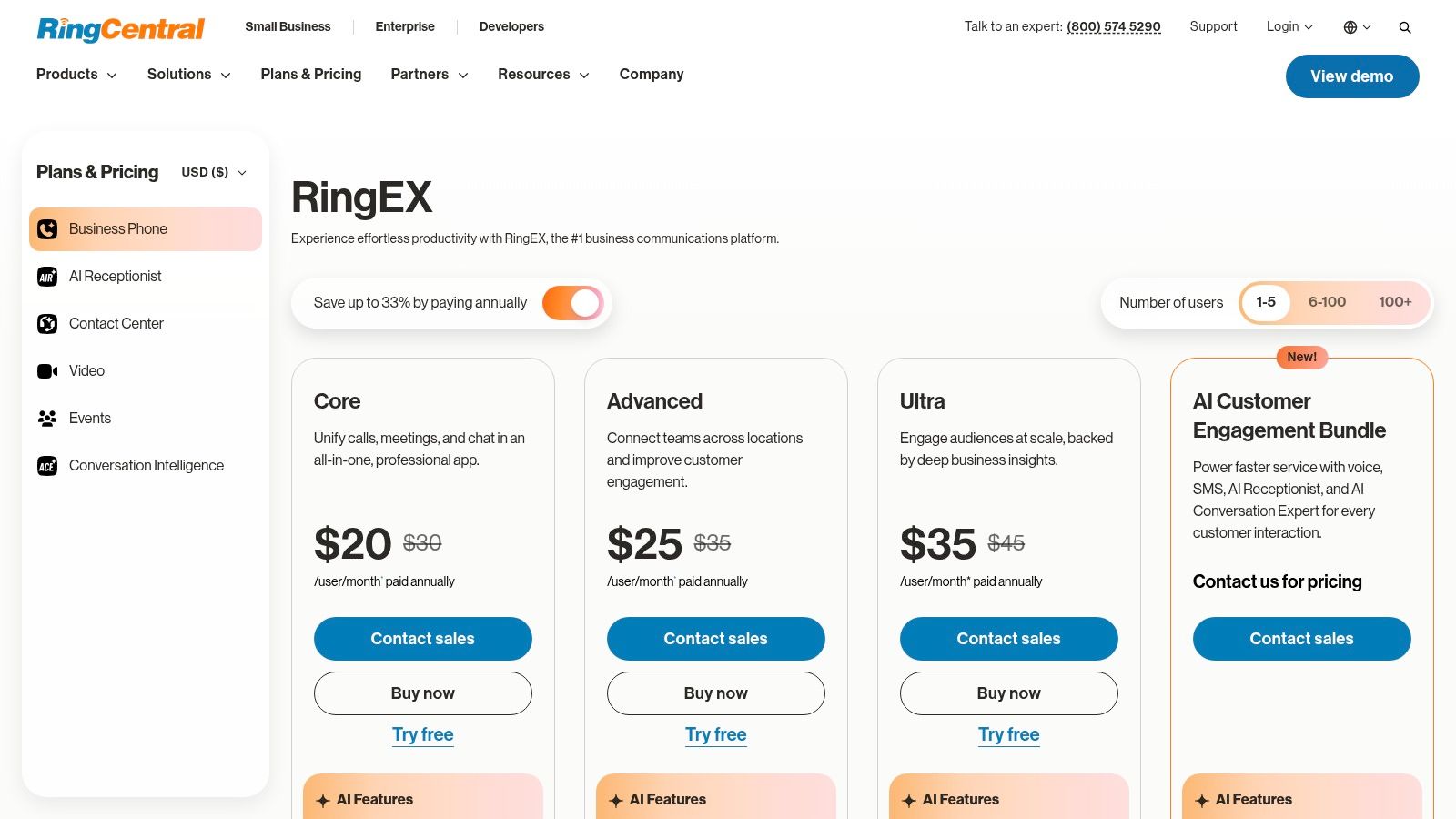
On the RingCentral RingEX plans and pricing page on the date checked, Essentials is $19.99 per user per month with annual billing, or $29.99 monthly. Listed plans include unlimited calling in the US and Canada and voicemail-to-text. Higher tiers add call recording, analytics, advanced call handling and CRM integrations, plus fax on applicable plans.
Fit and Limits
Essentials is limited to 20 users, so a 25-person office must price a higher tier from the start. Advanced features also require higher-priced plans, and the annual versus monthly gap changes the comparison. Setup means assigning numbers, roles, sites and devices in the admin portal, then testing routing for each location before porting the main number. For a business that needs broad communications and integrations, that administration effort is justified. For phone-only calling, it's more platform than necessary.
3. Nextiva
Choose Nextiva for a smaller team that wants business calling plus team collaboration now, with a path into customer-experience tools later. The entry plan covers voice and messaging. Higher tiers add live chat, chatbots and more shared inbox capacity, which suits a service business that handles enquiries across phone and web chat rather than voice alone.
On the Nextiva pricing page on the date checked, NEXT Core is $15 per user per month with annual billing, or $23 monthly. The listed Core plan includes routing features, including skills-based routing, and the page distinguishes included features from add-ons. Desk phones are purchased separately, so hardware belongs in the first-year budget rather than appearing as a surprise after checkout.
- Best fit: A team adding customer-service tools without switching phone providers later.
- Watch the tier jump: The Scale tier is substantially more expensive than the entry tier.
- Check add-ons: Some features and AI usage are plan-limited or sold separately.
Setup is straightforward for softphone users, but buyers should confirm which routing, inbox and AI allowances are included at Core before assuming the entry price covers a support operation. A sales-led team that only needs extensions may find simpler value elsewhere.
4. Ooma Office
Ooma Office is the clearest pick for a small office that wants published tiers and core call handling at the entry level, without negotiating a quote to learn the starting price. Essentials includes a virtual receptionist, ring groups, mobile app and digital fax. That's enough for many single-site firms to replace landlines and present one main number professionally.
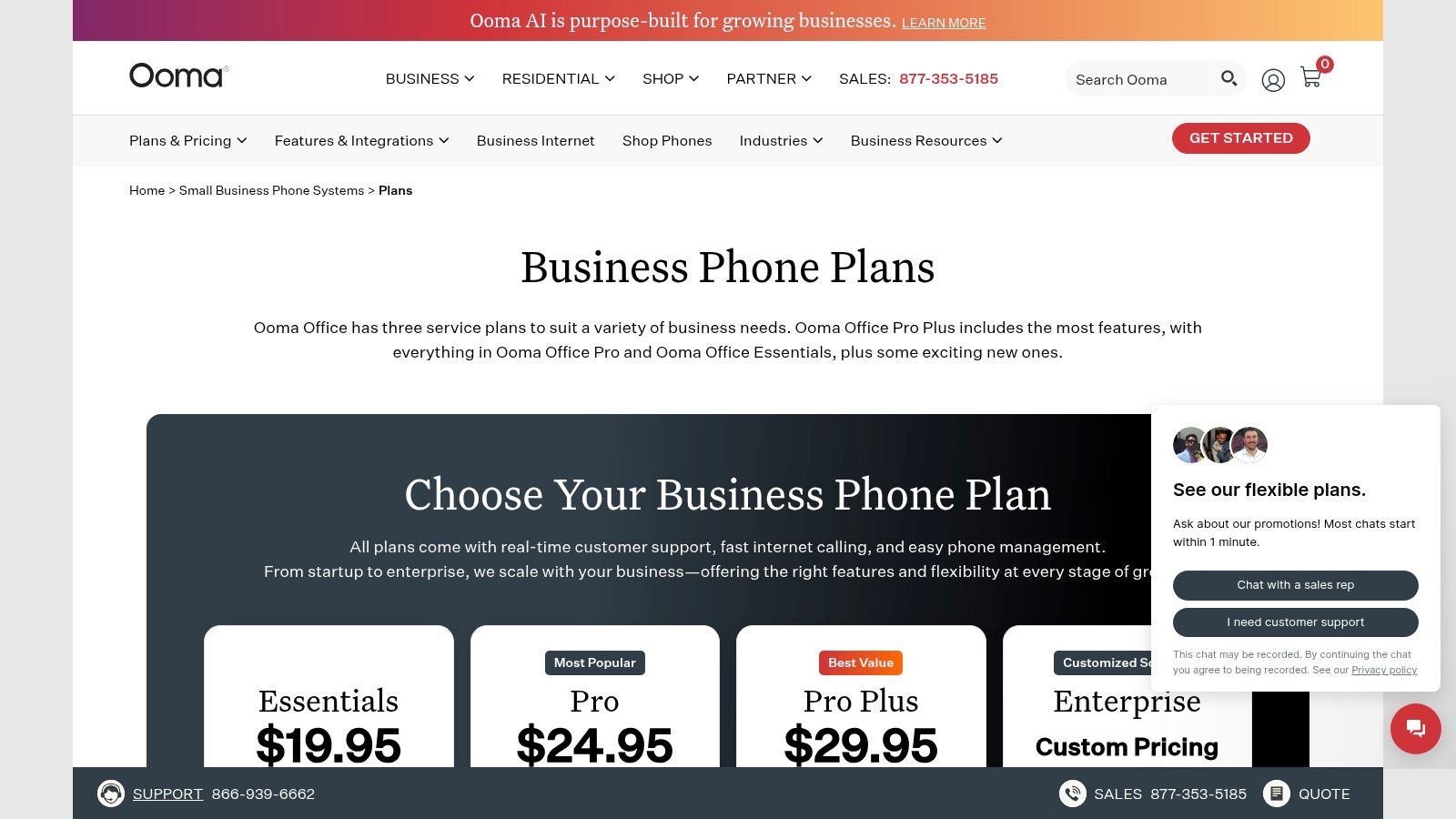
On the Ooma Office plans page on the date checked, prices are $19.95 per user per month for Essentials, $24.95 for Pro and $29.95 for Pro Plus, before applicable taxes and fees. Pro adds a desktop app, video meetings, call recording and enhanced call blocking. Pro Plus adds call queues, hot desking, CRM integrations and team chat. The plan page lists unlimited calling to the US, Canada, Mexico and Puerto Rico.
The trade-off is tier gating. Call recording requires Pro, and call queues require Pro Plus. Taxes and fees add to the headline. Businesses with complex administration or integration needs should compare Ooma against larger platforms before committing, especially across several sites.
5. Zoom Phone
Already using Zoom for meetings? Zoom Phone is a practical choice for a small business that wants calling managed through its existing Zoom account. It also suits phone-only buyers who prefer metered domestic calling, though firms with frequent international calls should budget carefully.
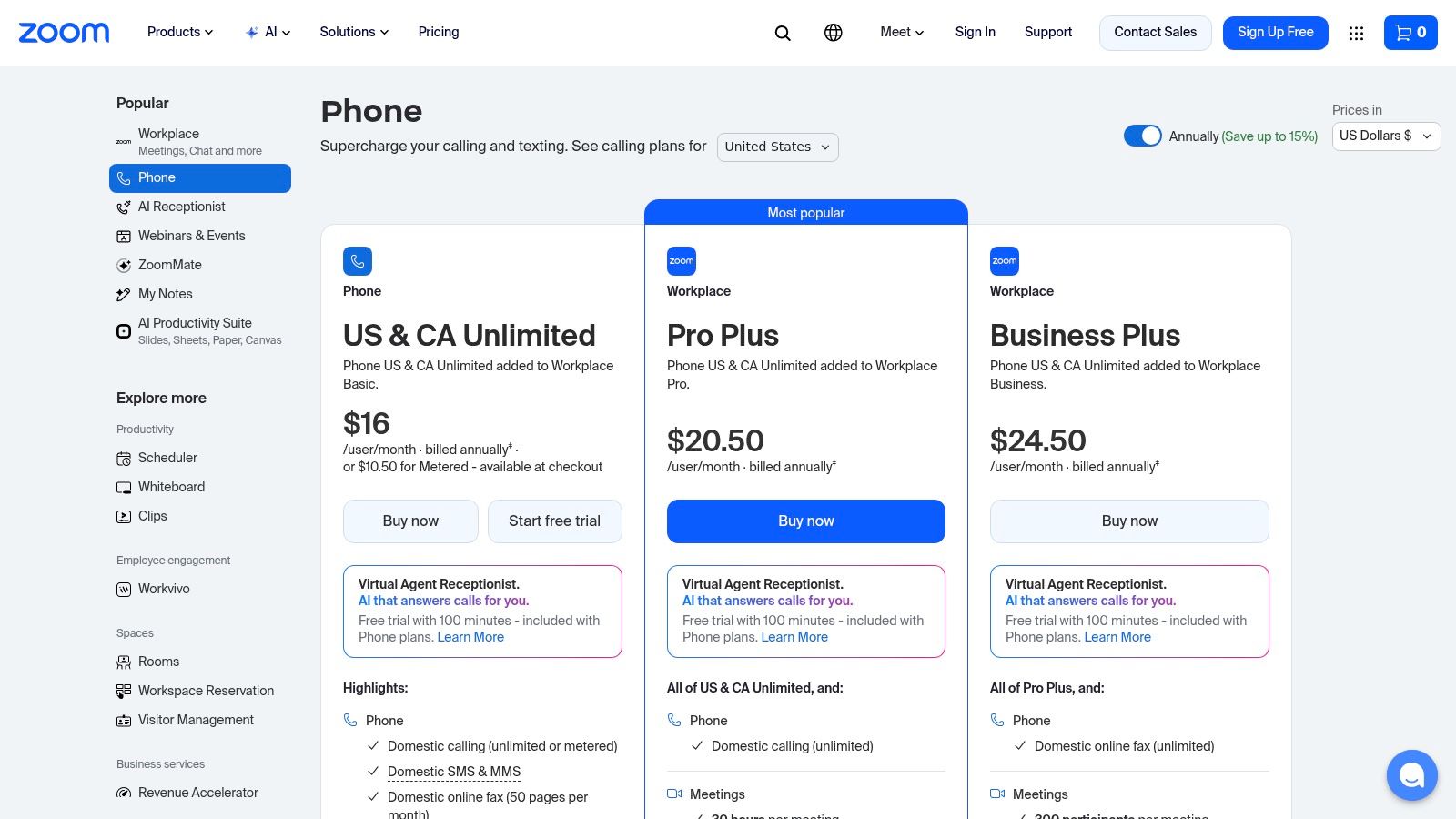
Zoom offers metered and unlimited US and Canada calling plans, with annual or monthly billing. Its pricing page did not show US dollar prices from TopToolAdvisor's location, so check Zoom Phone's pricing page for current per-user rates before setting a budget. Listed plans include domestic SMS and MMS, call recording, a domestic number, and calling apps for multiple devices. Integrations include Salesforce, Slack, Microsoft and Google.
Where the Price Can Mislead
The US and Canada plans do not include unlimited international calling, so estimate overseas call costs if your team regularly calls abroad. SMS availability and rates have conditions, including registration requirements. Bundles may add meetings and collaboration tools that a phone-only buyer does not need. Price the standalone phone plan first, then compare a bundle only if it replaces a tool your business already pays for.
6. Dialpad Connect
Dialpad Connect suits a small team that spends time recapping customer calls and wants those details captured in its phone app. It combines calling, messaging and meetings with AI-generated call and voicemail transcripts, summaries and action items. Staff can use desktop and mobile apps or supported desk phones.
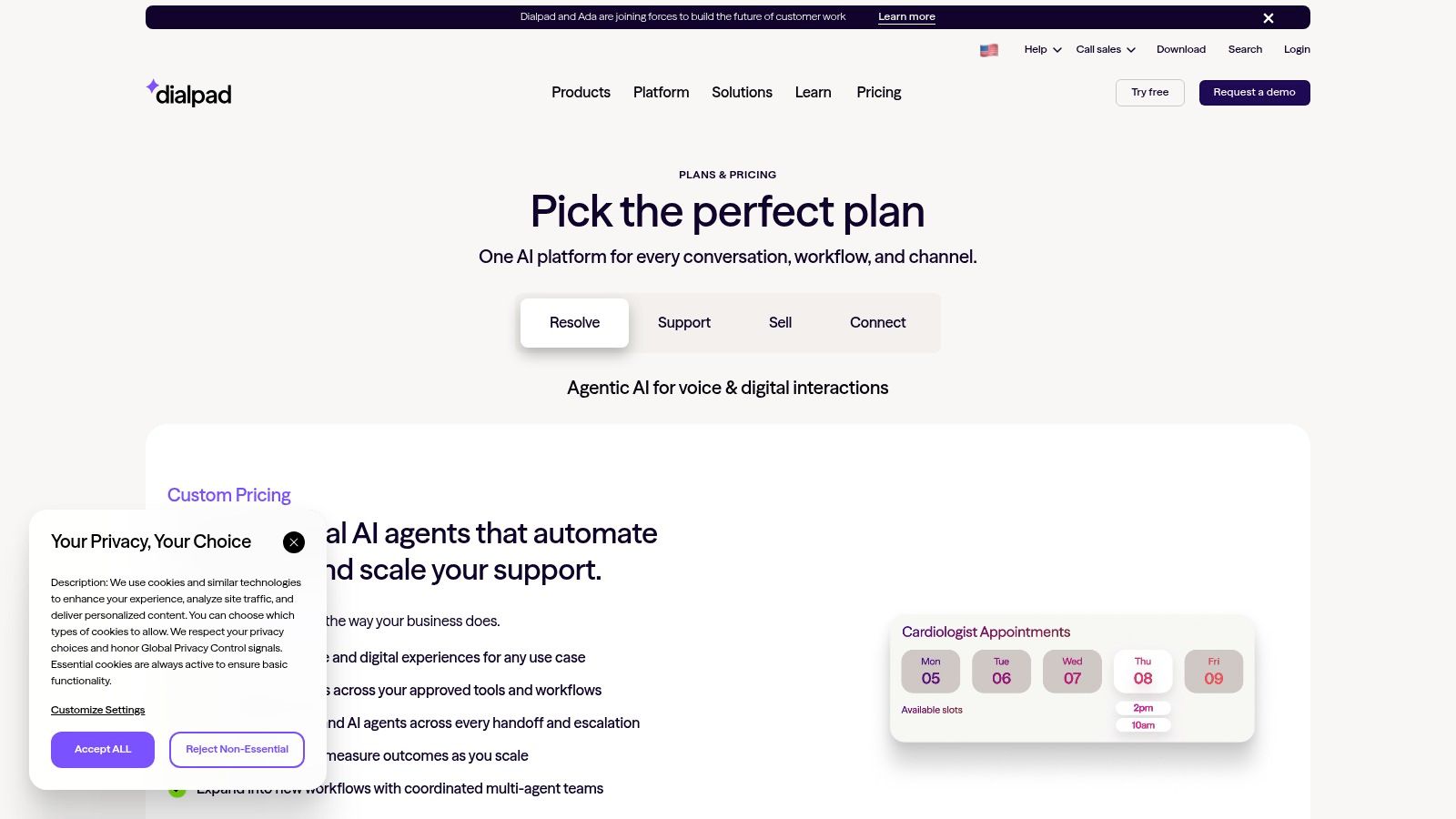
The Dialpad pricing page advertises a 14-day free trial. The page also covers separate sales and contact-center products, so check which Connect plan and billing terms apply before comparing costs. CRM and productivity integrations are available. Treat advanced contact-center features as a separate buying decision rather than assuming they come with Connect.
Set rules for transcript access, retention and deletion before enabling AI summaries across the team. The IDC SMB communications research entry identifies regulatory and data-governance requirements, cost control and limited internal expertise as constraints on scaling AI. Ask where transcripts are stored, whether customer data trains a model, and how access and offboarding are managed.
7. 8x8 Work
Choose 8x8 Work for a multi-site small business that needs centralized administration, broad call handling and a platform designed for distributed locations. It's the pick when one office manager must control numbers, queues and users across sites without logging into separate systems for each branch.
The 8x8 Work business phone page on the date checked references plans starting at $15 per user per month, with the applicable plan and terms to be confirmed with 8x8. Documented features include auto-attendant, voicemail, call queues, ring groups and call recording, plus desktop, web and mobile app access. Multi-site support and centralized administration are central to the pitch, with integrations for Microsoft Teams and CRM systems.
Public pricing is less straightforward than self-service pricing from Ooma or Zoom. Advanced global calling, analytics or integration requirements may need a higher tier or a sales discussion. Get calling regions, contract length, per-site charges and included recording storage in the written quote. A single-site firm with five users will likely overbuy here. A firm opening a second location within a year may not.
8. Google Voice for Google Workspace
For a Google Workspace shop that wants the simplest path from Gmail and Calendar to a business number, choose Google Voice for Google Workspace at Standard tier or higher. Starter covers basic calls, but Standard and Premier add the PBX functions most offices need, including automated attendants and ring groups.
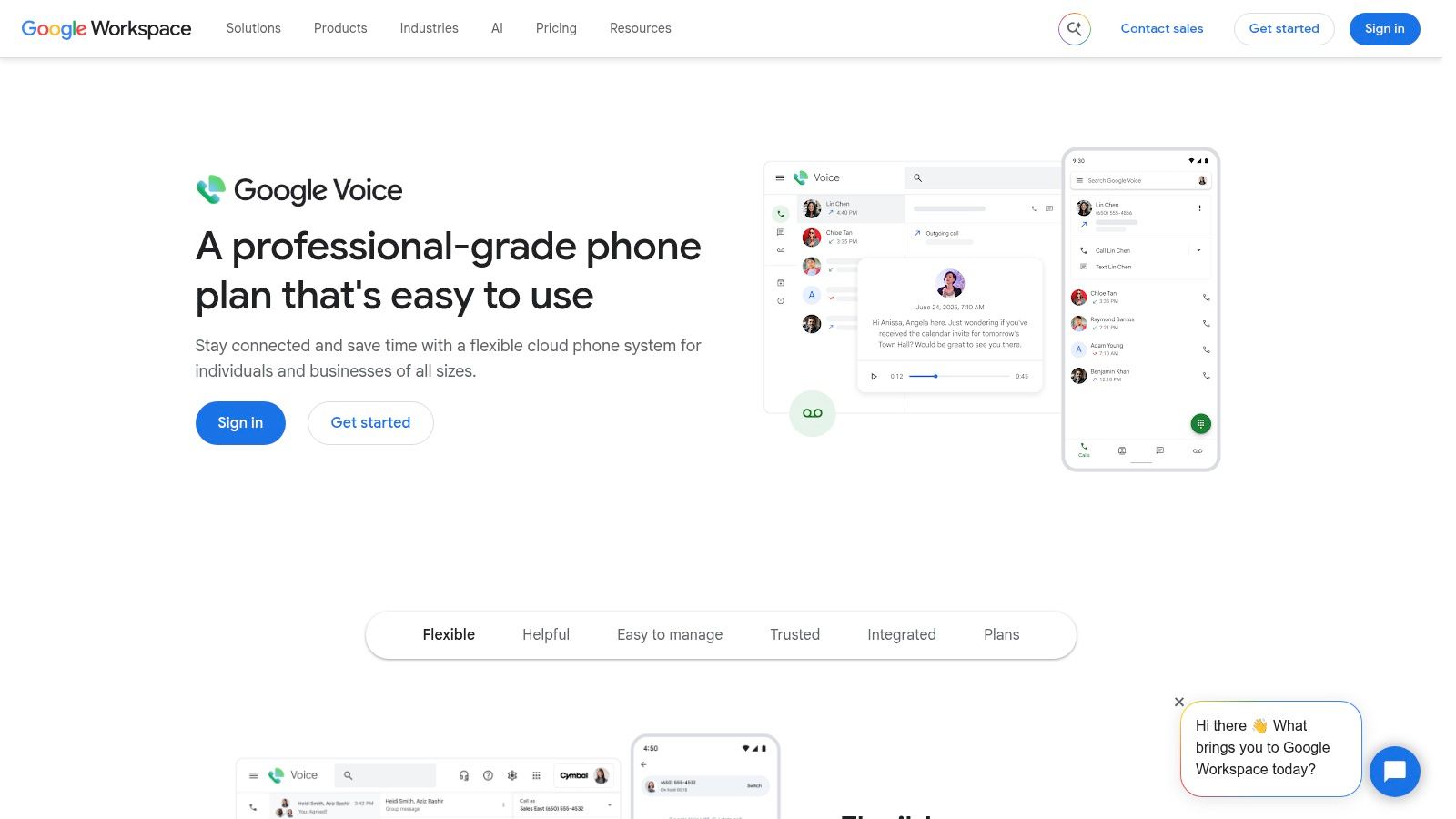
On the Google Voice for Workspace page on the date checked, listed prices are $10 per user per month for Starter, $20 for Standard and $30 for Premier. Workspace is required for the add-on plans. Features include web and mobile apps, voicemail transcription, call forwarding, business number assignment and number porting, with desk-phone compatibility listed in Google's subscription comparison.
Starter has fewer PBX functions, so a receptionist-free office shouldn't buy it expecting an auto-attendant. Availability and texting conditions should be confirmed for each intended location. Teams standardized on Microsoft instead should read the TopToolAdvisor Microsoft Teams Phone review before adding a second ecosystem only for voice.
9. Quo (formerly OpenPhone)
Quo, formerly OpenPhone, suits startups and small teams that coordinate around shared numbers and CRM-connected conversations rather than desk phones. Shared-number workflows help several people see and answer the same customer thread, which fits founders, sales staff and support staff covering one main line from mobile and desktop apps.
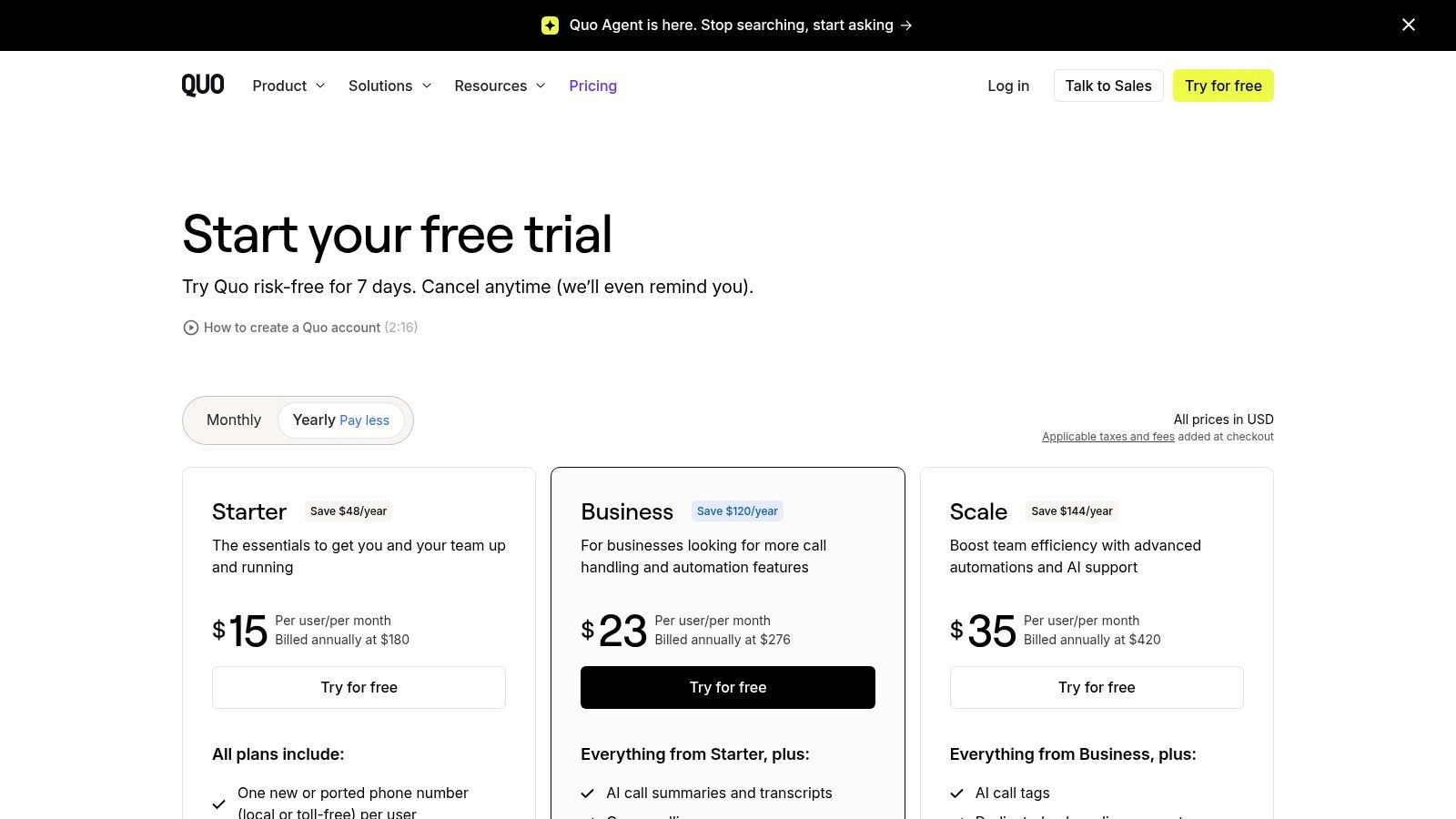
On the Quo pricing page on the date checked, Starter is $15 per user per month with annual billing or $19 monthly, and Business starts at $23 annually billed or $33 monthly. Listed plans include one new or ported number per user and calling and messaging to US and Canadian numbers. Business adds phone menus, call transfers, analytics and CRM integrations. A seven-day trial is advertised.
Some calling and messaging features are region-specific, and messaging requires registration that may involve setup and recurring fees. Per-user pricing can also cost more than a shared-user plan for very small teams with many occasional users. Teams where texting is the main channel should compare options through the TopToolAdvisor business text messaging software shortlist before assuming a voice plan covers messaging needs.
10. Grasshopper
Pick Grasshopper for a solo operator who needs a professional business number, extensions and call forwarding without equipping employees with conventional PBX lines. It's a lightweight virtual phone system, not a full PBX replacement, and that distinction should drive the decision.
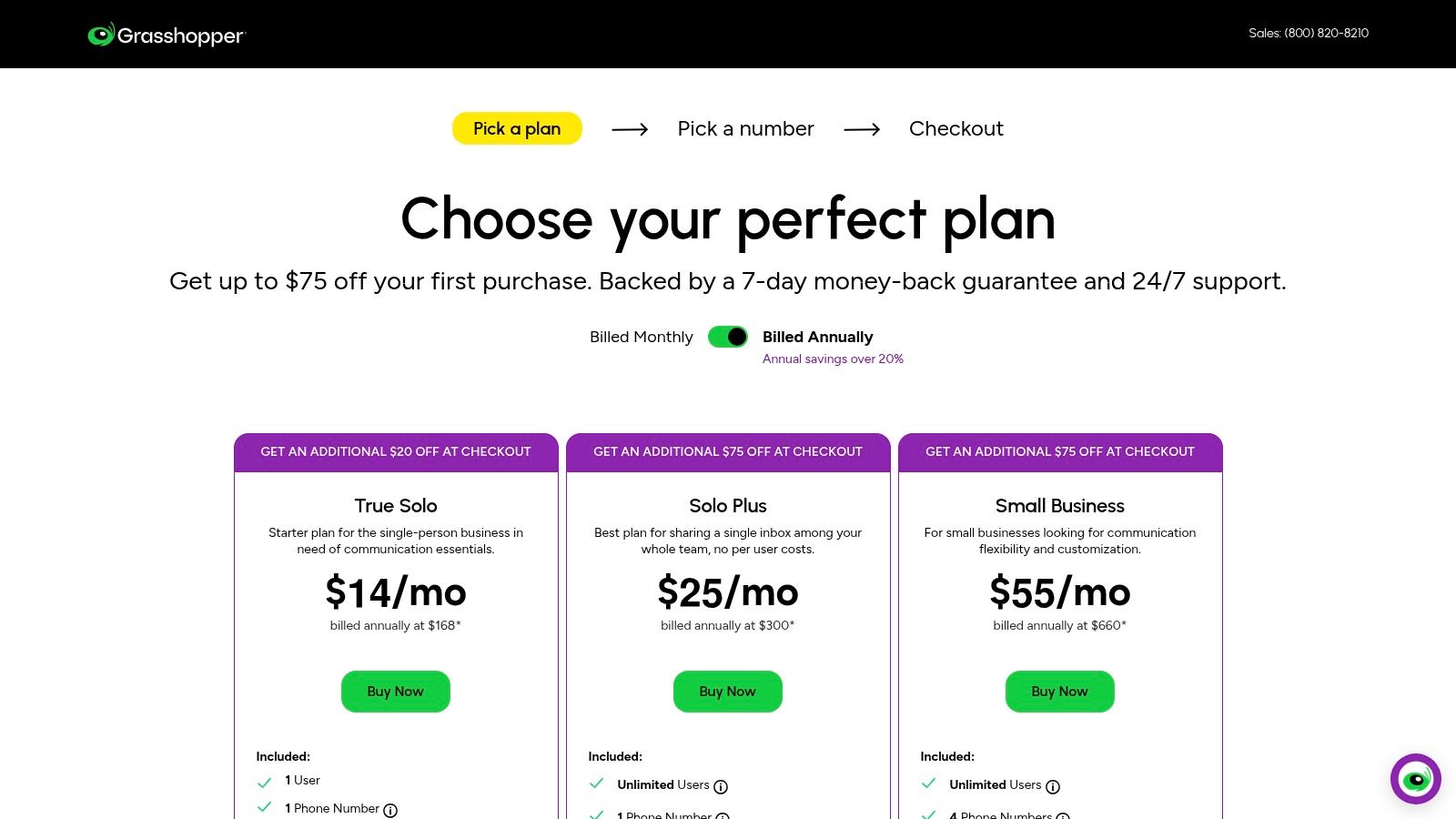
On the Grasshopper pricing page on the date checked, annual-billed plans are $14 per month for True Solo, $25 for Solo Plus and $55 for Small Business. Plans include business numbers, extensions, call forwarding and business texting, with mobile and desktop access and different user, number and extension allowances. The Small Business plan includes unlimited extensions according to the pricing page, and some plans allow unlimited users without per-user pricing.
That pricing model can beat per-seat PBX plans for a founder with contractors who rarely take calls. The limits are real. Advanced call-centre and enterprise call-management functions are limited, and additional numbers or extensions can incur extra charges depending on the plan. Buyers who need queues, recording controls or deep integrations should check the TopToolAdvisor GoTo Connect review and other full PBX options instead.
Cloud PBX options for small business at a glance
Use this table to narrow the shortlist by team setup and calling needs. Prices are starting points; confirm the plan and billing term that fit your requirements before buying.
| Best for | Starting price | Free trial or plan | Setup effort | Standout calling features |
|---|---|---|---|---|
| TopToolAdvisor shortlist: businesses comparing VoIP services | Not applicable | Not applicable | Low; research only | Compares documented features and published prices for nine services |
| RingCentral RingEX: growing small businesses wanting a broad communications platform | $19.99/user/month, billed annually | No free trial or plan specified | Moderate; admin tools support multi-site setups | US and Canada calling, voicemail-to-text, advanced call handling on higher tiers |
| Nextiva: small teams combining business calling and collaboration | $15/user/month, billed annually | No free trial or plan specified | Moderate; optional desk phones require separate purchase | Skills-based routing, voice and team messaging |
| Ooma Office: small businesses seeking clear plan tiers | $19.95/user/month | No free trial or plan specified | Low; core call-management features on entry plan | Virtual receptionist, ring groups and unlimited calling in listed regions |
| Zoom Phone: teams already using Zoom or needing metered calling | $10.50/user/month, billed annually | No free trial or plan specified | Low; works through Zoom apps and a management portal | Metered or unlimited US and Canada calling, recording and integrations |
| Dialpad Connect: teams wanting AI-assisted call notes | Starting price not listed | 14-day free trial | Low; app-based setup | AI transcription, call summaries and action items |
| 8x8 Work: businesses with multiple locations or international needs | Price pending | No free trial or plan specified | Moderate; centralized multi-site administration | Auto-attendant, call queues, recording and multi-site support |
| Google Voice for Google Workspace: businesses already using Google Workspace | $10/user/month | No free trial or plan specified | Low; requires Google Workspace | Voicemail transcription, call forwarding and automated attendants on higher tiers |
| Quo (formerly OpenPhone): startups and small teams using shared numbers | $15/user/month, billed annually | 7-day free trial | Low; app-first setup | Shared-number workflows, call transfers and CRM integrations on higher tiers |
| Grasshopper: entrepreneurs wanting a business number and extensions | $14/month, billed annually | No free trial or plan specified | Low; lightweight virtual phone setup | Business numbers, extensions, call forwarding and business texting |
How to Pick One and Switch Without Downtime
Match the provider to the operating shape first, then price the exact tier. A solo operator should start with Grasshopper or Quo Starter. A Google Workspace shop should price Google Voice Standard, not Starter, if an auto-attendant is required. A Zoom-standardized team should compare Zoom Phone Metered versus Unlimited against actual outbound minutes. A multi-site office should shortlist RingCentral RingEX and 8x8 Work, then test administration across sites. A phone-first small office that wants clear tiers should start with Ooma Office Pro or Pro Plus only if recording or queues are required.
Budget beyond the seat price. The Mordor Intelligence virtual PBX market report reports that SMEs accounted for 55.67% of 2024 virtual-PBX revenue. Total cost still varies by number portability, international calling, SMS, recording, analytics, implementation, premium support and hardware or adapters. A separate budgeting benchmark helps sanity-check quotes. The DataIntelo cloud-based PBX market report places typical SME pricing at roughly $18 to $35 per user per month. A quote far outside that range needs a line-by-line explanation, not acceptance of the headline.
Port Numbers and Test Emergency Calling Before Cutover
Keep the old service active until inbound calls, outbound caller ID, voicemail and 911 location are verified on the new system. The FCC number porting guide states that simple ports, generally involving no more than one line, should be completed within one business day, and warns that 911 callback and location services may be affected during transition. Collect the current carrier account number, service address, authorized contact, recent bill and number list before submitting the request, and ask whether any porting fee can be waived.
Emergency calling needs its own acceptance check. The FCC VoIP and 911 service guide states that interconnected VoIP providers must obtain a physical location before activation, let customers update it, and transmit the callback number and registered location with 911 calls. Assign addresses by office, floor, suite, remote worker and device where the provider supports it. Test one desk phone, one desktop softphone and one mobile or remote endpoint, confirm the registered address and document what happens during internet or power loss.
Cutover rule: A cloud PBX isn't ready when accounts are provisioned. It's ready when ported numbers ring correctly, SMS registration is approved and each endpoint shows the correct emergency address.
Use trials under real network conditions during busy hours. Record packet loss, latency and jitter on wired and Wi-Fi endpoints separately, and verify failover when the primary internet connection fails. Confirm SIP-compatible devices, CRM integration, admin role controls and data-retention settings in writing, including the provider's service-level objective and incident-credit policy. The economic case can be strong, but it isn't automatic. The DataIntelo global cloud-based PBX system report estimates payback periods of 18 to 36 months, reflecting porting, implementation, training, device replacement and integration work.
TopToolAdvisor compares documented features and published prices for nine VoIP services, ranks RingCentral RingEX at 8.8 out of 10 as the top pick for small and mid-sized businesses replacing an office phone system, and lists prices as the cheapest paid plan in US dollars from the vendor's own page on the date checked.
Visit TopToolAdvisor's VoIP shortlist today, compare the nine scored services against team size and calling volume, and start a trial with the two finalists that cover desk phones, SMS registration and number porting at the lowest true first-year cost.
Questions or corrections: editorial@toptooladvisor.com