10 Best Project Management Software for Marketing Teams of 2026
By the TopToolAdvisor research desk · Updated November 26, 2026 · Next review January 10, 2027 · 10 products scored
 Our pickAsanaIn-house marketing teams of 5 to 100 running campaigns and content8.7
Our pick in brief
Asana is the best all-round pick for marketing teams because approvals and proofing, goals and BI connections arrive on Advanced, and its editorial calendar template tracks approval status out of the box. monday.com is the friendliest for visual planners, ClickUp gives the most for the money, and Wrike is the pick for teams that review a lot of creative with guest reviewers and Adobe files. Smartsheet suits spreadsheet-minded marketing ops, Teamwork.com suits teams that bill hours to clients, and Trello and Basecamp are the simple, cheap options without proofing. Airtable is for teams that want to build their own campaign database, and Workamajig is a full system for in-house creative departments of 10 or more.
Quick answer
Asana is the best project management software for marketing teams in 2026 because its Advanced plan, at $24.99 per user per month billed annually, adds approvals and proofing to editorial calendar and campaign templates. monday.com suits teams that want calendar, timeline and Gantt views on one board, and ClickUp is the best value at $9 per user billed yearly with creative proofing and a content calendar. Trello is the cheapest paid option at $5 per user billed annually, as of November 2026.
This list is for in-house marketing teams and marketing agencies that plan campaigns, run a content calendar and need creative approved before it ships. We judged each tool on three marketing jobs: workflow (intake, calendars, timelines), proofing and approvals, and reporting. On 26 November 2026 we reopened every vendor's pricing and marketing pages and compared documented features and published prices; we did not run the software ourselves. Nine of the 10 prices are verified US dollar quotes and one is marked pending. Read the plan notes carefully: in most tools, proofing and reporting sit one tier above the entry price.
At a glance
| Rank | Product | Best for | Verified price | Score |
|---|---|---|---|---|
| 1 | Asana | In-house marketing teams of 5 to 100 running campaigns and content | From $10.99 per user per month, annual billing | 8.7 |
| 2 | ClickUp | Budget-minded marketing teams that want docs and tasks in one app | From $9 per user per month, annual billing | 8.5 |
| 3 | monday.com | Marketing teams that want visual boards and many views | Price not listed | 8.5 |
| 4 | Wrike | Creative and campaign teams that review many assets | From $10 per user per month, annual billing | 8.5 |
| 5 | Smartsheet | Marketing operations teams comfortable with spreadsheets | From $9 per member per month, annual billing | 8.3 |
| 6 | Teamwork.com | Marketing teams that serve internal or external clients and track hours | From $9.99 per user per month, annual billing | 8.3 |
| 7 | Trello | Small marketing teams that want simple boards | From $5 per user per month, annual billing | 8.2 |
| 8 | Basecamp | Small marketing teams that want flat pricing and simple communication | From $29 per month, flat, up to 5 users | 7.9 |
| 9 | Airtable | Marketing ops teams that want a custom campaign database | From $20 per user per month, annual billing | 7.8 |
| 10 | Workamajig | In-house creative departments of 10 or more people | From $49 per user per month | 7.4 |
By the numbers
- 37%In the same 2025 PMI study, 37% of projects only partly delivered the expected results and 13% failed outright.Source: Project Management Institute
- 36%Only 36% of organizations in Wellingtone's 2026 State of Project Management survey of project and portfolio practitioners always or mostly complete projects on time.Source: Wellingtone
- 31%31% of complex projects failed to achieve the full scope of their intended benefits in PMI's 2026 research, more than twice the rate for projects overall.Source: Project Management Institute
- 25%Leaders and teams spend 25% of their time just searching for answers, according to Atlassian's 2025 State of Teams survey of 12,000 knowledge workers and 200 executives.Source: Atlassian
- 2 minutesMicrosoft 365 telemetry for 2025 shows employees are interrupted every 2 minutes on average by a meeting, email or notification.Source: Microsoft
- 6%89% of executives in Atlassian's 2026 survey say AI increases speed, but only 6% are sure they have clear examples of organization-wide AI return on investment.Source: Atlassian
How the scores work
Each product is rated out of 10 on the same three criteria, then ranked by the weighted total. Scores compare documented features and published prices, not hands-on testing.
- 35%Features
- 35%Ease of use
- 30%Value
No. 1, our pick
AsanaWork management platform with campaign, editorial calendar and creative request templates, plus approvals and proofing on the Advanced plan.
8.7of 10Best for In-house marketing teams of 5 to 100 running campaigns and content
- Features
- 9.1
- Ease of use
- 8.8
- Value
- 8.2
Price
Free Personal plan for up to 2 users; Starter from $10.99 per user per month billed annually, Advanced $24.99
Quoted from the Asana pricing page on November 26, 2026:
$10.99 Per user, per month billed annually. $13.49 billed monthly
Asana is the most complete fit for a marketing department that plans campaigns and content in one place and needs sign-off on creative. Its marketing page offers ready templates for an editorial calendar that tracks platform, type and approval status, a social media calendar, campaign management, creative requests and creative asset approval. Starter at $10.99 per user per month billed annually adds timeline and Gantt views, reporting dashboards, unlimited automations and unlimited free guests, which covers most planning work. The step that matters for marketing is Advanced at $24.99, where approvals and proofing, goals, resource management, time tracking and connections to Salesforce, Tableau and Power BI arrive. Teams that need hours against budgets should note that timesheets and budgets are an add-on. We compared documented features and published prices on 26 November 2026; we did not run the software ourselves.
Strengths
- +Proofing and approvals are built in rather than sold as a separate add-on
- +Starter includes unlimited automations, forms, custom fields and custom templates
- +Marketing templates cover campaigns, creative requests, web production and events
Drawbacks
- −Proofing, approvals, goals and time tracking need Advanced, which costs more than double Starter
- −The free Personal plan stops at 2 users
- −Timesheets and project budgets are a separate Timesheets & Budgets add-on
- Plans
- Personal, Starter, Advanced, Enterprise, Enterprise+
- Free plan
- Yes, up to 2 users
- Proofing
- Advanced plan and above
- Guests
- Unlimited free guests from Starter
No. 2
 ClickUp
All-in-one workspace with tasks, docs, calendars, dashboards, creative proofing and AI agents for marketing workflows.
8.5of 10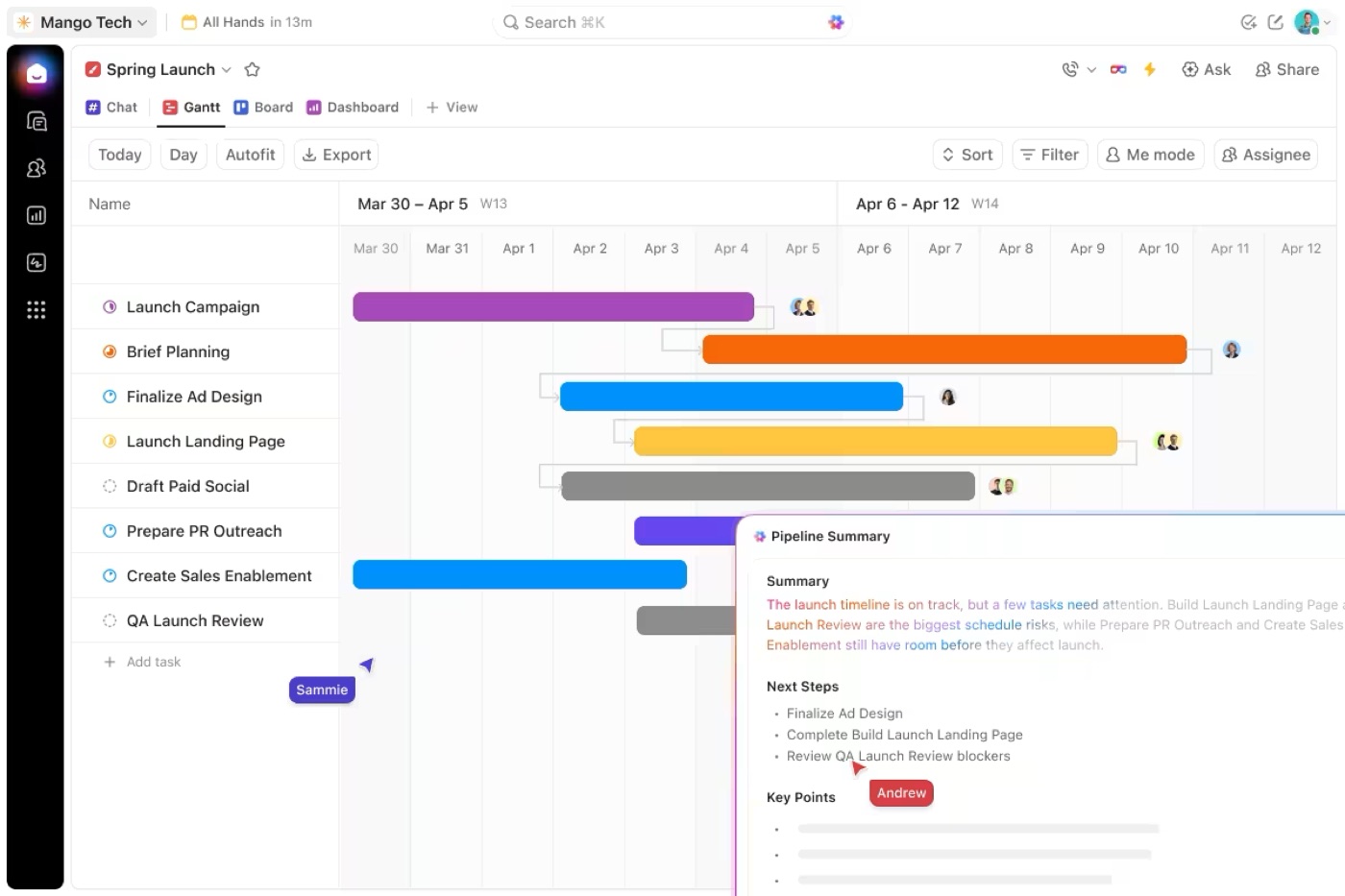
Best for Budget-minded marketing teams that want docs and tasks in one app
- Features
- 9.0
- Ease of use
- 7.6
- Value
- 9.0
Price
Free Forever plan; Core from $9 per user per month billed yearly, Business $17
Quoted from the ClickUp pricing page on November 26, 2026:
Core $ 9 Regular price $ 12 user / mo · billed yearly
ClickUp gives a marketing team the most for the money if someone on the team is willing to set it up. Its marketing page lists campaign management, a content calendar across channels and creative proofing to review, annotate and approve assets without email threads. Free Forever already includes unlimited members, calendar view and collaborative docs, but only 60 MB of storage, so creative teams will move to Core quickly. Core at $9 per user per month billed yearly removes the storage cap and adds unlimited Gantt charts, unlimited forms for intake, custom fields and 1,000 automations a month. Business at $17 brings advanced dashboards, resource management, timesheets and time in status reports, which is where campaign reporting and workload planning live. The trade-off is setup: spaces, task types and views need designing, and timeline and workload views stay in trial mode until Business. We compared documented features and published prices on 26 November 2026.
Strengths
- +Core at $9 per user billed yearly is the lowest per-seat price among the full-featured tools here
- +Free Forever workspaces can have unlimited members and guests
- +Docs, briefs and tasks live in the same workspace, so campaign briefs link straight to work
Drawbacks
- −Free Forever has only 60 MB of storage, too little for creative files
- −Timeline view and workload view are trials until Business
- −Paid workspaces get a limited number of external guest seats, so large agency rosters cost more
- Plans
- Free Forever, Core, Business, Enterprise, Max
- Free plan
- Yes, unlimited members, 60 MB storage
- Automations
- 1,000 a month on Core, 10,000 on Business
- Proofing
- Creative proofing for assets
No. 3
 monday.com
Board-based work management platform with calendar, timeline and Gantt views, automations and AI agents for campaign planning.
8.5of 10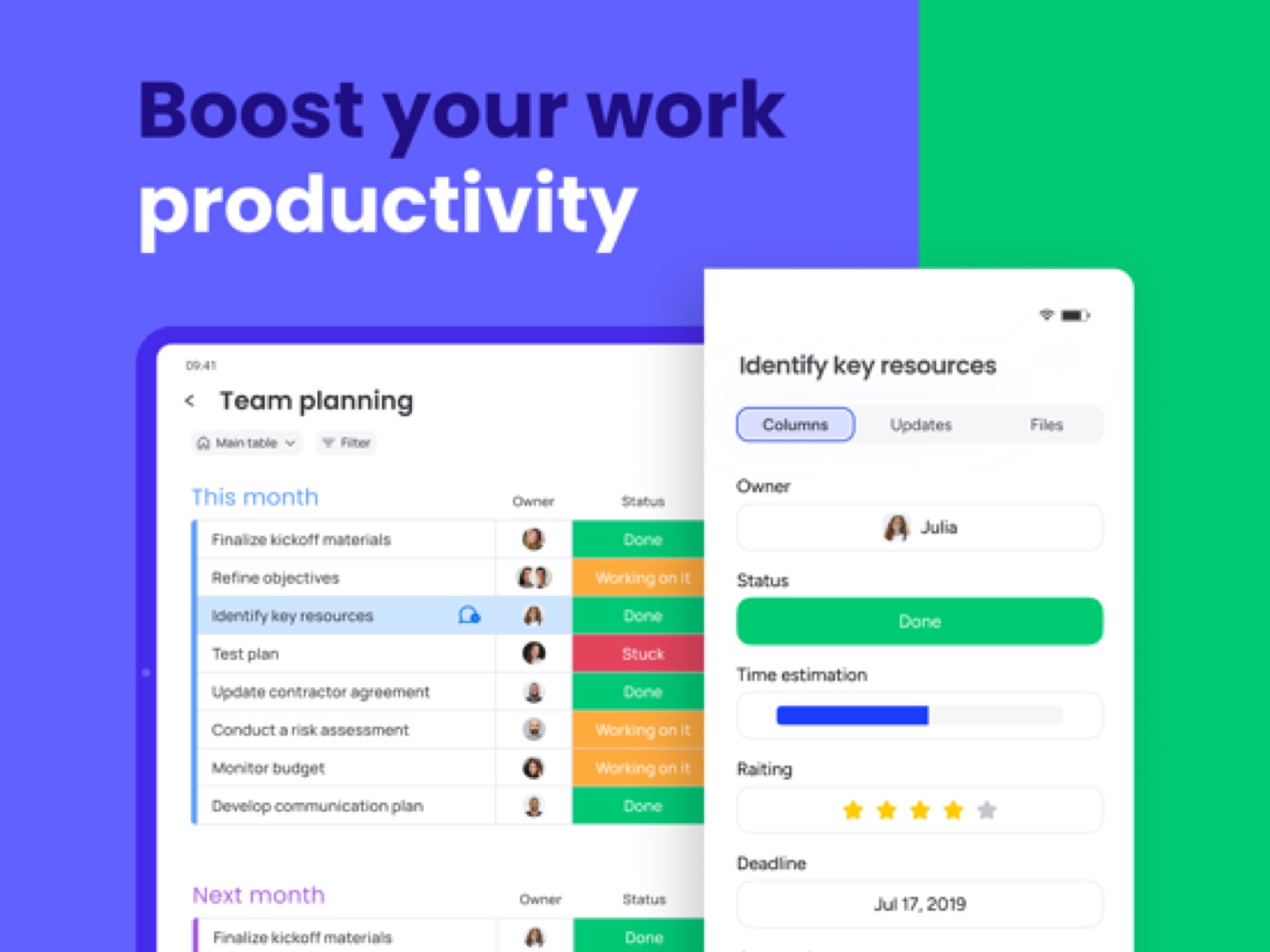
Best for Marketing teams that want visual boards and many views
- Features
- 8.7
- Ease of use
- 9.0
- Value
- 7.8
Price
See vendor pricing (USD check pending); free plan for up to 2 seats
We could not confirm a US price yet. Check the monday.com pricing page.
monday.com suits marketing teams that think in boards and want the content calendar, campaign timeline and Gantt chart to sit on the same data. The Standard plan is the realistic starting point: it adds the calendar view, timeline and Gantt views, guest access for agencies and freelancers, and 250 automation actions a month. Pro raises automations to 25,000 actions, adds time tracking, private boards and advanced board views with charts, which is where reporting gets serious. Every paid plan includes unlimited free viewers, useful for sharing launch status with leadership. monday.com also markets AI agents for marketing tasks such as campaign briefs, content drafts and performance recaps. We did not find a native proofing feature on its pricing page, so teams that review a lot of creative should compare it with Asana or Wrike. The pricing page showed euros from our location on 26 November 2026, so the dollar price is marked pending.
Strengths
- +Calendar, timeline and Gantt views arrive together on Standard, the second paid tier
- +Unlimited read-only viewers let executives see campaign boards without paid seats
- +Over 200 templates on every plan, including the free one
Drawbacks
- −The free plan caps you at 2 seats and 3 boards
- −Time tracking needs Pro
- −The pricing page did not show US dollars from our location, so confirm the dollar price before budgeting
- Plans
- Free, Basic, Standard, Pro, Enterprise
- Free plan
- Yes, up to 2 seats and 3 boards
- Calendar view
- Standard plan and above
- Time tracking
- Pro plan and above
No. 4
 Wrike
Work management platform for marketing and creative teams with built-in proofing, an Adobe Creative Cloud extension and dynamic request forms.
8.5of 10Best for Creative and campaign teams that review many assets
- Features
- 9.0
- Ease of use
- 8.0
- Value
- 8.4
Price
Free plan; Team from $10 per user per month for 2 to 15 users, Business $25
Quoted from the Wrike pricing page on November 26, 2026:
Team Intelligent project management $10 user/month
Wrike is the strongest choice here for marketing teams whose bottleneck is creative review. Its marketing page describes proofing where reviewers compare file versions side by side, guest reviewers approve or request changes, and designers work through an Adobe Creative Cloud extension without leaving the platform. A shared calendar holds annual, quarterly or weekly marketing activities, forms capture requests, and dashboards connect to Google Ads and Facebook for campaign results. Team at $10 per user per month covers 2 to 15 users with shareable dashboards and interactive Gantt charts, while Business at $25 for 5 to 200 users adds templates and a standard integration. Budgets tied to bill and cost rates and advanced BI reporting wait on Pinnacle, which is sold through sales. The pricing page does not state which tier includes proofing, so check before you commit. We compared documented features and published prices on 26 November 2026.
Strengths
- +Proofing is aimed at creative work, with guest reviewers and version comparison
- +The Adobe Creative Cloud extension keeps designers in Photoshop and Illustrator
- +Team at $10 per user includes shareable dashboards and interactive Gantt charts
Drawbacks
- −Team is limited to 2 to 15 users, so larger departments start on Business at $25
- −Budgeting and advanced reporting with BI sit on Pinnacle, which is quoted on request
- −The pricing page does not say which plan includes proofing, so confirm it with Wrike before buying
- Plans
- Free, Team, Business, Pinnacle, Apex
- Team plan size
- 2 to 15 users
- Business plan size
- 5 to 200 users
- Integrations
- 400+ apps
No. 5
 Smartsheet
Spreadsheet-style work management platform with Gantt, board and calendar views, image and video proofing and optional Brandfolder asset management.
8.3of 10Best for Marketing operations teams comfortable with spreadsheets
- Features
- 8.6
- Ease of use
- 7.8
- Value
- 8.6
Price
Pro from $9 per member per month billed yearly for 1 to 10 members; Business $19
Quoted from the Smartsheet pricing page on November 26, 2026:
Pro $ 12 9 per Member/month
Smartsheet fits marketing operations teams that already run campaign plans in spreadsheets and want them to behave like projects. Pro at $9 per member per month billed yearly covers 1 to 10 members with unlimited free contributors, Gantt, table, board and calendar views, rich formulas and 250 automations a month. Business at $19 is where marketing teams should look: it adds image and video proofing, timeline view, workload tracking, unlimited automations, unlimited free guests and 1 TB of storage. Smartsheet's marketing page also points to native digital asset management through Brandfolder, sold as an add-on on every plan, for teams that need to store and distribute final assets. Formula-driven sheets make budget and channel reporting flexible, but the grid takes longer to learn than a board. We compared documented features and published prices on 26 November 2026.
Strengths
- +Pro at $9 per member billed yearly includes calendar view and unlimited free contributors
- +Business adds image and video proofing, timeline view, workload tracking and unlimited automations
- +Brandfolder can be added for asset storage and distribution
Drawbacks
- −Proofing is not on Pro, so creative review starts at $19 per member on Business
- −Pro is capped at 10 members
- −No permanent free plan
- Plans
- Pro, Business, Enterprise, Advanced Work Management
- Proofing
- Image and video, Business and above
- Storage
- 20 GB on Pro, 1 TB on Business
- Free plan
- No
No. 6
 Teamwork.com
Client work management platform with Proofs for file approval, billable time tracking, request forms and capacity planning.
8.3of 10Best for Marketing teams that serve internal or external clients and track hours
- Features
- 8.4
- Ease of use
- 8.2
- Value
- 8.3
Price
Free plan for up to 5 users; Basics from $9.99 per user per month billed yearly with a 3-user minimum, Accelerate $24.99
Quoted from the Teamwork.com pricing page on November 26, 2026:
Prices per user/month, billed yearly: Free $0, Basics $9.99, Accelerate $24.99
Teamwork.com makes sense for marketing teams that work like an internal agency: they take requests, log hours and need clients or stakeholders to approve files. Proofs, its file approval tool, comes on every plan, with 5 proofs a month on Free, 20 on Basics and unlimited from Accelerate. Basics at $9.99 per user per month billed yearly, with a 3-user minimum, adds up to 300 projects, unlimited templates, billable time reporting and the option to invite client users into projects. Accelerate at $24.99 adds smart request forms, workload planning with live capacity, time budgets and HubSpot and QuickBooks connections. The product leans toward billing and profitability, which pure in-house teams may not need, and it has fewer marketing templates than Asana. Its pricing page shows euros from our location, but Teamwork.com publishes a US dollar version of the same page, which we quoted on 26 November 2026.
Strengths
- +Proofs are included on every plan, with a monthly cap on the lower two
- +Free plan covers 5 projects and 5 users with task, list, board, Gantt and table views
- +14-day trial on Basics and Accelerate with no credit card
Drawbacks
- −Unlimited proofs and workload planning need Accelerate at $24.99
- −Basics has a 3-user minimum and Accelerate a 5-user minimum
- −Built around client billing, which in-house teams may not use
- Plans
- Free, Basics, Accelerate, Optimize, Enterprise
- Proofs
- 5 a month Free, 20 Basics, unlimited Accelerate
- Trial
- 14 days, no credit card
- Data hosting
- US or EU
No. 7
 Trello
Kanban board tool from Atlassian with Power-Ups, automation and calendar and timeline views on the Premium plan.
8.2of 10Best for Small marketing teams that want simple boards
- Features
- 7.0
- Ease of use
- 9.0
- Value
- 8.8
Price
Free plan for up to 10 collaborators; Standard from $5 per user per month billed annually, Premium $10
Quoted from the Trello pricing page on November 26, 2026:
Standard $ 5 USD Per user/month if billed annually ($6 billed monthly)
Trello is the low-cost, low-effort option for a small marketing team that runs a content pipeline as columns: ideas, drafting, review, scheduled, published. The free plan covers up to 10 collaborators per Workspace with unlimited cards and up to 10 boards. Standard at $5 per user per month billed annually removes the board limit and adds card mirroring and single board guests, handy for freelance writers. A content calendar needs Premium at $10, which adds Calendar, Timeline, Table, Dashboard and Map views plus AI and admin controls. Trello has no native proofing or approval routing, so review steps are lists or checklists unless you add Power-Ups, and reporting is limited to the Premium dashboard view. For teams that outgrow it, Asana or ClickUp cover proofing and deeper reporting. We compared documented features and published prices on 26 November 2026.
Strengths
- +Standard at $5 per user billed annually is the lowest paid price on this list
- +Boards are quick to learn for writers and freelancers
- +Single board guests on Standard suit freelancers who only see one content board
Drawbacks
- −Calendar and timeline views need Premium at $10
- −No built-in proofing or approval routing; that needs Power-Ups
- −The free plan limits each Workspace to 10 boards
- Plans
- Free, Standard, Premium, Enterprise
- Free plan
- Yes, up to 10 collaborators per Workspace
- Calendar view
- Premium plan and above
- Enterprise
- $17.50 per user per month billed annually
No. 8
 Basecamp
Flat-priced project tool with to-dos, message boards, schedules, card tables and chat in each project.
7.9of 10Best for Small marketing teams that want flat pricing and simple communication
- Features
- 6.8
- Ease of use
- 9.0
- Value
- 8.0
Price
Free plan for 1 project; Freelancer $29 a month for up to 5 users, Pro $79 for up to 10, Pro Unlimited $199 billed annually
Quoted from the Basecamp pricing page on November 26, 2026:
Freelancer $29 /mo 3 projects 10 GB storage Includes up to 5 users
Basecamp works for a small marketing team that mostly needs a shared place for each campaign: to-dos, a message board, files, a schedule and a chat room. Pricing is flat per package rather than per user. Freelancer costs $29 a month for up to 5 users and 3 active projects, Pro $79 for up to 10 users and 8 projects with templates and multiple tools per project, Pro Plus $99 for 15 users with time tracking, and Pro Unlimited $199 a month billed annually for unlimited projects and people. That makes it cheap for a team of 8 to 10 compared with per-seat tools. The limits are real for marketing work: there is no proofing, no approval routing and no Gantt chart, so creative review happens in comments. The 3-project cap on Freelancer is tight for a team running several campaigns. We compared documented features and published prices on 26 November 2026.
Strengths
- +No per-user fees within each package
- +30-day free trial on paid packages
- +Message boards and chat keep campaign discussion in the project
Drawbacks
- −No proofing, approval workflow or Gantt chart
- −Freelancer allows only 3 active projects and no templates
- −Reporting is light compared with Asana, Wrike or Smartsheet
- Packages
- Free, Freelancer, Pro, Pro Plus, Pro Unlimited
- Free plan
- 1 project, 3 users, 1 GB
- Trial
- 30 days
- Time tracking
- Pro Plus and above
No. 9
 Airtable
Relational database and app platform with content calendar, social media calendar and campaign tracker templates.
7.8of 10Best for Marketing ops teams that want a custom campaign database
- Features
- 8.3
- Ease of use
- 7.6
- Value
- 7.4
Price
Free plan with 1,000 records per base; Team from $20 per user per month billed annually, Business $45
Quoted from the Airtable pricing page on November 26, 2026:
our Team plan is available for $20/user/month when billed annually
Airtable suits a marketing operations team that wants to model its own system rather than adopt a fixed project tool. A base can link campaigns to assets, channels, budgets and results, and Airtable offers Content Calendar, Social Media Calendar and Marketing Campaign Tracker templates to start from. The free plan allows 1,000 records per base, enough to trial a calendar. Team costs $20 per user per month billed annually and raises the limit to 50,000 records and 20 GB of attachments per base, while Business at $45 allows 125,000 records and 100 GB per base. On paid plans, only users with edit permissions are billed, so stakeholders who only read, submit forms or open share links are free. The cost is effort: someone has to design tables, views and automations, and we did not find a proofing feature on its pricing pages. We compared documented features and published prices on 26 November 2026.
Strengths
- +Relational tables link campaigns, assets, channels and budgets in one base
- +Read-only collaborators do not count toward paid seats
- +Templates for content calendars and campaign trackers give a starting structure
Drawbacks
- −Team at $20 per user billed annually is the highest entry price among the general tools here
- −No built-in proofing workflow documented on its pricing pages
- −Teams must design their own base, which takes database thinking
- Plans
- Free, Team, Business, Enterprise Scale
- Free plan
- Yes, 1,000 records per base
- Team records
- 50,000 per base
- Billing
- Only users with edit permissions are charged
No. 10
 Workamajig
Agency and in-house creative management system with project intake, resourcing, digital proofing, approval routing and accounting.
7.4of 10Best for In-house creative departments of 10 or more people
- Features
- 8.8
- Ease of use
- 6.6
- Value
- 6.8
Price
In-house plan from $49 per user per month for 10+ users, $47 for 25+, $45 for 50+
Quoted from the Workamajig pricing page on November 26, 2026:
In-house 10+ 25+ 50+ $49 /user/mo Get one month free with annual payment
Workamajig is the specialist on this list: a full system for creative departments that run like an agency, with intake, resourcing, scheduling, proofing and finance in one place. Its In-house plan costs $49 per user per month for 10 or more users, $47 for 25 or more and $45 for 50 or more, with one month free on annual payment and onboarding, training and support included. Highlights for in-house teams include project intake, resourcing and scheduling, digital proofing, invoicing and chargebacks, customizable dashboards and unlimited client and vendor logins. The approval side covers revision requests, markup and proofing and approval routing. The cost is time and money: Workamajig says a traditional implementation takes 2 to 3 months, and the 10-user floor rules out small teams. For a large in-house studio that charges back to other departments, that trade can be worth it. We compared documented features and published prices on 26 November 2026.
Strengths
- +Approval routing and markup are part of the core product
- +Chargebacks support in-house teams that bill other departments
- +Onboarding, training and support are included in the price
Drawbacks
- −Sold from 10 users, so the minimum is about $490 a month
- −Traditional implementation takes 2 to 3 months, per Workamajig
- −No free plan and the most expensive per-seat price on this list
- Plans
- In-house, Agency, Enterprise
- Minimum
- 10 users
- Implementation
- 2 to 3 months (traditional)
- Client logins
- Unlimited
What to check before you buy
Find the plan where proofing starts
Asana puts approvals and proofing on Advanced at $24.99 per user billed annually, and Smartsheet puts image and video proofing on Business at $19. Teamwork.com includes Proofs on every plan but caps them at 5 a month on Free and 20 on Basics. Trello and Basecamp have no built-in proofing.
Check which plan has the calendar view
A content calendar is the core of most marketing setups. ClickUp has calendar view on Free Forever, Smartsheet on Pro, monday.com on Standard and Trello only on Premium at $10 per user billed annually.
Count reviewers and stakeholders
Approvers outside the team add up. Asana gives unlimited free guests from Starter, monday.com gives unlimited free viewers, Airtable does not bill read-only collaborators, and Workamajig includes unlimited client and vendor logins. ClickUp's paid plans include a limited number of guest seats.
Decide how much reporting you need
For dashboards tied to campaign data, look at Asana Advanced (Salesforce, Tableau and Power BI), ClickUp Business (advanced dashboards and time in status reports) or Wrike, which connects Google Ads and Facebook. Budgets based on bill and cost rates in Wrike need Pinnacle.
Be honest about setup time
Trello, Basecamp and Asana can run within days. ClickUp, Airtable and Smartsheet reward a team member who designs the workspace. Workamajig quotes 2 to 3 months for a traditional implementation.
Common questions
- What is the best project management tool for a marketing team?
- Asana is the best project management tool for most marketing teams. Its Advanced plan at $24.99 per user per month billed annually adds approvals and proofing, and its marketing templates include an editorial calendar that tracks approval status.
- Which project management software handles content calendars and approvals?
- Asana, Wrike, ClickUp, Smartsheet, Teamwork.com and Workamajig handle both. ClickUp lists a content calendar and creative proofing, Smartsheet adds image and video proofing on Business at $19 per member billed yearly, and Teamwork.com includes Proofs on every plan.
- Is Asana or monday.com better for marketing campaigns?
- Asana is better if your campaigns need creative sign-off, because approvals and proofing are built into its Advanced plan. monday.com is better for visual planning: Standard adds calendar, timeline and Gantt views plus guest access, and every paid plan has unlimited free viewers.
- What is the cheapest project management tool for a marketing team?
- Trello Standard is the cheapest paid option at $5 per user per month billed annually. ClickUp Free Forever and Trello Free cost nothing, but ClickUp's free plan has 60 MB of storage and Trello needs Premium at $10 for calendar view.
- Which tool is best for creative proofing?
- Wrike is the strongest for creative proofing. Its marketing page describes side-by-side version comparison, guest reviewers who approve or request changes and an Adobe Creative Cloud extension.
- Is there a flat-priced option for a small marketing team?
- Yes, Basecamp. Pro costs a flat $79 a month for up to 10 users and Freelancer $29 a month for up to 5, though neither includes proofing or Gantt charts.
- Do in-house creative teams need a dedicated system?
- Only at around 10 people or more. Workamajig sells its In-house plan from 10 users at $49 per user per month with digital proofing, approval routing and chargebacks, but a traditional implementation takes 2 to 3 months.
Sources and price checks
- Asana: https://asana.com/pricing, price checked November 26, 2026
- ClickUp: https://clickup.com/pricing, price checked November 26, 2026
- monday.com: https://monday.com/pricing, price not confirmed as of November 26, 2026
- Wrike: https://www.wrike.com/price/, price checked November 26, 2026
- Smartsheet: https://www.smartsheet.com/pricing, price checked November 26, 2026
- Teamwork.com: https://www.teamwork.com/pricing.md, price checked November 26, 2026
- Trello: https://trello.com/pricing, price checked November 26, 2026
- Basecamp: https://basecamp.com/pricing, price checked November 26, 2026
- Airtable: https://www.airtable.com/pricing, price checked November 26, 2026
- Workamajig: https://www.workamajig.com/pricing, price checked November 26, 2026
Fact sources
- Project Management Institute, New PMI Research Reveals Strategy-Execution Gap Is Undermining Transformation (press release)
- Wellingtone, The State of Project Management Annual Report 2026
- Project Management Institute, Why Complex Projects Fail: Best Practices Are Not Enough, System Thinking Gives Your Team the Edge
- Atlassian, How top teams work smarter (State of Teams 2025)
- Microsoft, Breaking down the infinite workday (Work Trend Index)
- Atlassian, The State of Teams 2026
Cite this page
TopToolAdvisor. "10 Best Project Management Software for Marketing Teams of 2026." Updated November 26, 2026. https://toptooladvisor.com/best/best-project-management-software-for-marketing-teams
Questions or corrections: editorial@toptooladvisor.com
See our editorial policy. Vendors update prices without notice, so confirm on their site first.